Best AI Study Guide Makers: Generate Study Guides and Create AI Mind Maps
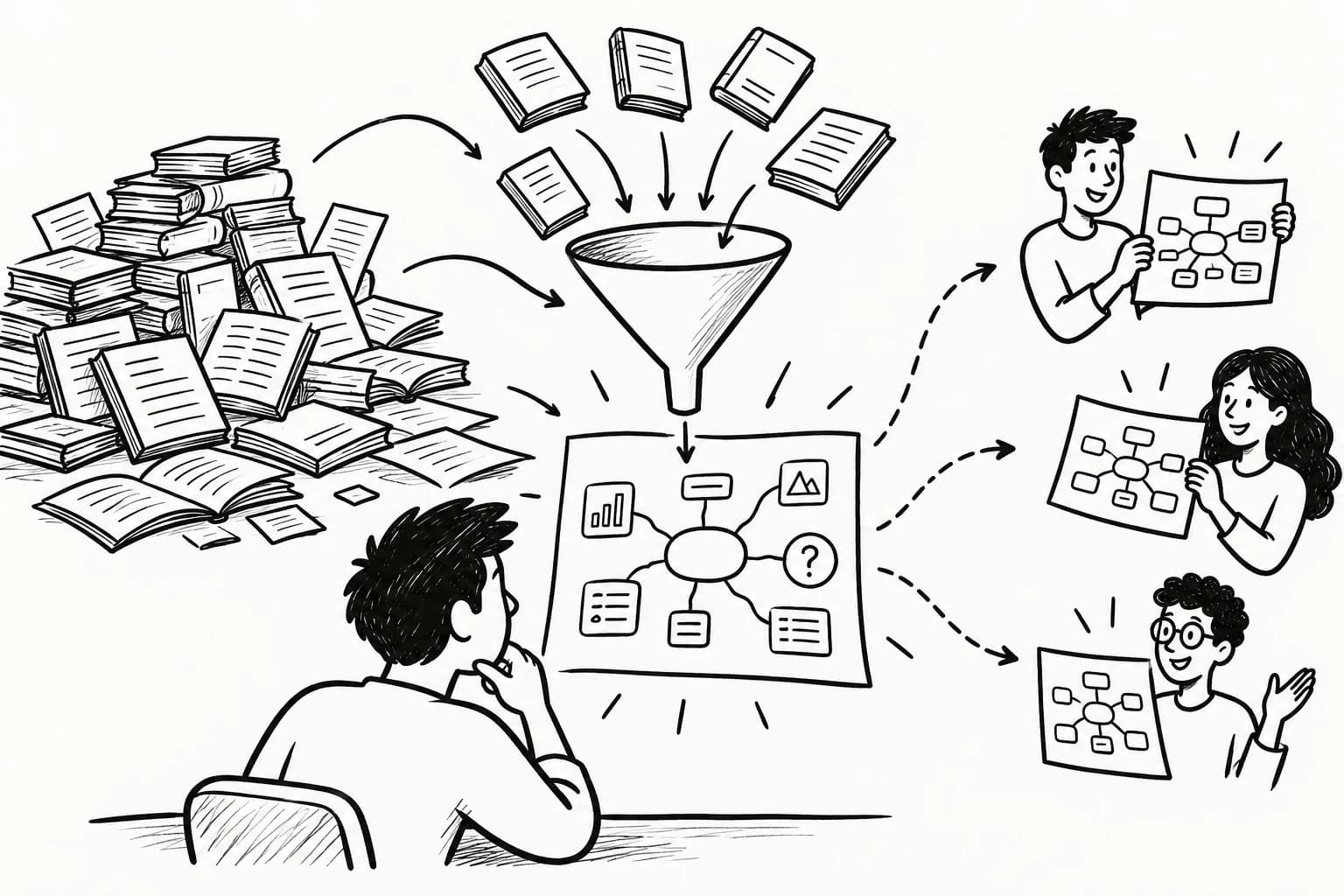
An AI study guide maker turns course materials into revision notes, summaries, practice questions, and visual maps. Upload supported PDFs, slides, textbook chapters, or lecture transcripts and organize the material around the concepts and skills you need to learn.
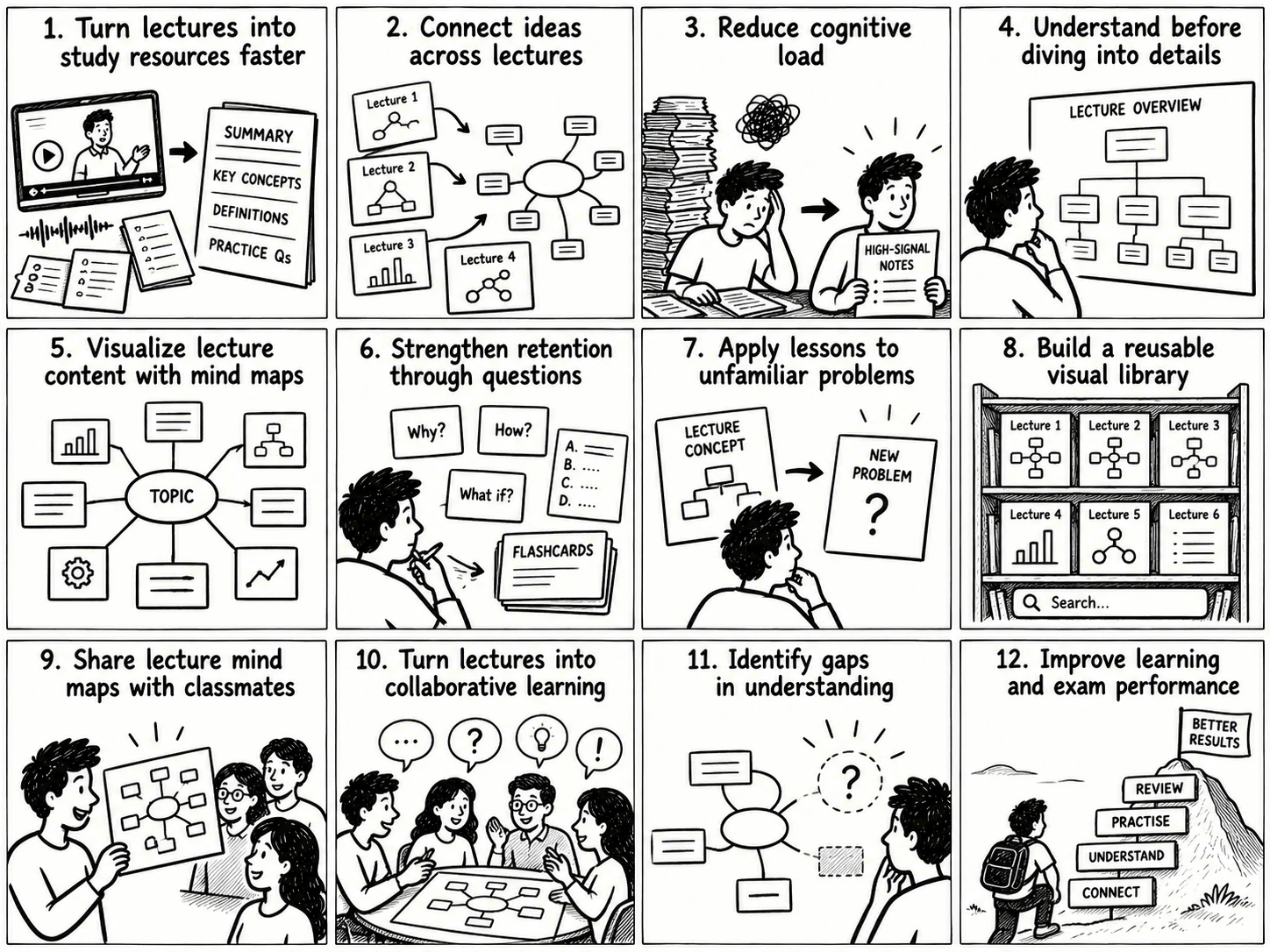
An effective study workflow has three jobs: organize information, understand relationships, and test recall. A study guide structures the syllabus, an AI mind map makes conceptual connections visible, and practice questions reveal gaps in understanding. The original course material remains the authority, so generated resources should be checked before they become the foundation for revision.
Generate Study Guides with AI
An AI study guide generator converts learning materials into a format suited to a course, subject, or assessment. A useful guide includes key concepts, definitions, examples, important relationships, and questions that test understanding.
Create Study Guides from Course Materials
Start with the syllabus, textbook chapters, lecture notes, presentations, or other relevant course materials. Ask the AI to organize the content around learning objectives and preserve the information needed for the intended assessment.
A useful study guide includes:
- A concise overview of the topic.
- Key concepts and their definitions.
- Important arguments, processes, or equations.
- Examples and worked explanations.
- Questions that test understanding.
- References to original pages or sections when available.
For long documents, process individual chapters before combining them into a course-wide guide. This makes omissions easier to identify and keeps the final resource manageable.
Generate Study Guides Online for Free
A free online AI study guide generator can help students create structured notes, summaries, and revision questions without immediately paying for a dedicated tool.
Free plans may limit document length, uploads, usage, advanced models, or exports. Test tools using the same representative chapter and compare accuracy, file compatibility, question quality, and correction time. The useful option is the one whose limits fit the actual assignment.
Personalize Study Guides for Different Subjects and Levels
Students can adapt study guides to their academic level, learning objectives, and assessment format. Beginners may need plain-language definitions and worked examples; advanced learners may need assumptions, exceptions, competing explanations, and application problems.
Subject requirements also shape the structure. Mathematics and physics benefit from formulas, variable definitions, units, and worked solutions. Biology needs terminology and process relationships. History may require chronology, causes, consequences, evidence, and competing interpretations. Languages need vocabulary, grammar rules, and usage examples.
Specify the subject, intended level, learning objectives, and desired depth before generating the guide. Personalization should make the material easier to understand while preserving its essential distinctions.
Convert Study Materials into AI Mind Maps
An AI mind map generator turns learning materials into a visual structure of central topics, branches, and connected concepts. The study guide explains the content; the mind map makes its organization and relationships easier to inspect.
Generate Mind Maps from PDFs and Documents
Start with a textbook chapter, lecture notes, or a collection of course readings. An AI mind map tool can identify the main topics and arrange them into a hierarchy of related concepts.
Review the generated branches against the source. Important exceptions may deserve their own branches, while concepts that depend on one another may need explicit cross-links. For a large course, create a high-level subject map supported by more detailed chapter maps.
With y2map, students can turn supported learning material into AI-generated mind maps for visual knowledge organization.
Create Visual Study Guides and Connect Related Concepts
A visual study guide combines a central concept with supporting branches, concise explanations, examples, and relationships. Its structure should reflect the material: chronology for historical developments, process relationships for biological pathways, hierarchies for classification, and causal connections for explanations of events.
Cross-topic links reveal how ideas from different chapters fit together. An economics course, for example, may revisit incentives, scarcity, and trade-offs across several units. Connecting these recurring concepts helps students build an integrated understanding of the subject.
Distinguish source-supported relationships from inferred connections, especially when similar terms have different meanings across topics.
Explore Mind Mapping Examples for Students
| Subject | Useful mind map structure |
|---|---|
| Biology | Cells, structures, functions, and biological processes |
| History | Events, causes, participants, consequences, and interpretations |
| Literature | Characters, themes, conflicts, symbols, and textual evidence |
| Computer science | Algorithms, data structures, complexity, and applications |
| Economics | Models, assumptions, variables, outcomes, and limitations |
These structures are starting points; the actual branches should reflect the student's course material and learning objectives.
Customize AI Mind Maps for Different Learning Needs
Choose the map format according to the task. A broad overview supports orientation, a detailed hierarchy supports revision, and a relationship-focused map supports comparisons and causal reasoning.
These are useful representation choices, not fixed categories of learners. Keep the map concise enough to reveal the structure while retaining the relationships needed to understand the topic.
Generate Exam Study Guides and Revision Resources
An AI exam study guide generator organizes a syllabus into examinable topics, summarizes relevant material, and creates questions for practice. Its usefulness depends on alignment with the actual course objectives and assessment format.
Create Study Guides for Exams and Final Assessments
Start with the syllabus, learning objectives, instructor guidance, and relevant course materials. Ask the AI to organize the content into topics and identify the definitions, processes, arguments, formulas, and problem types that need revision.
A final exam guide should integrate the course while preserving important chapter-level details. Compare the guide with the full syllabus to identify missing topics, and use a course-wide mind map to see how individual units connect.
Past papers can reveal question formats and expected reasoning when their use is permitted. Treat generated exam questions as practice material; a plausible prediction does not establish what an examiner will ask.
Map Learning Objectives to Revision Activities
Learning objectives describe what students should be able to explain, calculate, compare, or demonstrate. Mapping each objective to relevant chapters, concepts, examples, and practice questions makes revision more targeted.
Mark objectives that lack sufficient supporting material and consult the textbook, instructor resources, or assigned readings. This creates a direct connection between study activity and expected performance.
Generate Practice Questions, Flashcards, and Self-Tests
An AI practice question generator can produce recall questions, multiple-choice questions, short-answer prompts, and application problems from course material.
Ask for answer explanations and source references when available. For complex subjects, include questions that require applying a principle to a new situation rather than repeating a definition.
Answer before reading the solution, then inspect the explanation and revisit errors. Generated questions and answer keys also require verification because ambiguous wording or incorrect answers can undermine revision.
Build a Study Plan with Spaced Review
A study plan organizes revision around the material to cover, time available, and current understanding. Ask the AI to divide the syllabus into manageable sessions that combine reviewing notes, answering questions, checking errors, and revisiting difficult topics.
Carpenter, Pan, and Butler's review in Nature Reviews Psychology examines evidence for distributed practice and retrieval practice as learning strategies (2022 review). A practical schedule combines recall with reviews spaced across time, then adjusts the next session according to performance.
Key Features of an AI Study Guide Maker
An AI study guide maker should be evaluated by how reliably it processes real learning materials and produces resources that can be checked, edited, and reused.
Upload PDFs, PowerPoint Presentations, and Documents
Check which formats the tool supports and whether it can interpret the content inside them. Text-based PDFs differ from scanned pages, and presentations may contain essential information in diagrams, charts, or screenshots.
For example, ChatGPT supports working with various document and presentation formats subject to product settings and plan limits. Consult its official file-upload documentation for current supported formats and restrictions.
Generate Guides from Topics or Source Materials
Topic-based generation supports exploration of a subject; source-based generation supports fidelity to assigned material.
If the goal is to prepare for a specific course, provide the syllabus and relevant learning materials. If the goal is to explore an unfamiliar topic, a topic prompt can establish the initial structure, with important claims verified against appropriate sources.
This distinction determines how the guide should be evaluated: exploratory breadth matters for open-ended learning, while source traceability matters for course-specific revision.
Support Scanned PDFs, OCR, and Handwritten Notes
Scanned pages often contain images of text rather than selectable text. Optical character recognition (OCR) converts those images into machine-readable text, allowing further summarization and organization.
Accuracy depends on image quality, handwriting legibility, page layout, and notation. Check equations, tables, labels, and unfamiliar terminology after extraction. PDF upload support alone does not guarantee reliable handling of scanned documents or handwriting.
Customize, Edit, Export, and Share Study Guides
Useful tools let students adjust the detail, academic level, structure, and output type. Editing is essential for correcting errors, restoring omitted explanations, and aligning terminology with the instructor's materials.
Check whether exports preserve formatting, citations, links, and diagrams. Students may need printable revision sheets, editable documents, image exports, or shareable maps. Confirm whether collaborators can edit a resource or only view it.
Synthesize Multiple Learning Resources with Source References
A course-wide guide can connect lectures, textbook chapters, slides, and supplementary readings. Ask the AI to identify shared concepts, complementary explanations, disagreements, and missing information.
Preserve the source of important claims. When two sources disagree, inspect their original passages and determine whether the difference reflects terminology, context, or a genuine contradiction. A synthesis should make these relationships explicit.
Verify Accuracy, Citations, and Privacy
AI-generated notes can omit qualifications, misstate relationships, or introduce unsupported information. Before using a guide for an examination or assignment, check definitions, dates, formulas, numerical values, and technical explanations against the original sources.
A practical review process is:
- Compare key claims with the original passages.
- Confirm that assumptions and exceptions remain intact.
- Check technical details and numerical values.
- Identify claims that lack a traceable source.
- Correct errors before sharing or revising from the guide.
Citations make verification easier, while source checking establishes whether the explanation is correct. Before uploading sensitive academic or institutional material, review the service's data retention, sharing, and usage terms.
How to Create a Study Guide with AI
A reliable workflow connects learning objectives and source material to structured notes, visual organization, verification, and practice.
1. Upload Learning Materials or Enter a Topic
Choose the syllabus, textbook chapter, lecture notes, presentation, or transcript relevant to the task. For course-specific revision, prioritize the materials your instructor expects you to learn.
If you start with a topic, specify the academic level, learning objectives, and scope. If you provide source documents, identify which files the AI should prioritize.
2. Generate an AI-Powered Study Guide
Use a prompt that specifies the structure and the information to preserve.
Create a study guide from the supplied course material. Organize it by topic and learning objective. Include key definitions, important relationships, formulas or examples where relevant, and questions for self-testing. Preserve important qualifications, identify unsupported information, and reference original sections when available. Do not invent missing details.
Adapt the output to the subject instead of forcing every course into the same template.
3. Review Key Concepts and Learning Objectives
Compare the generated guide with the syllabus and original material. Check that each learning objective is represented and that technical terms, examples, and qualifications remain accurate.
Correct errors and restore missing information before creating derivative resources. An omission in the first summary can spread into the mind map and practice questions if the outputs are generated without review.
4. Convert Study Notes into Mind Maps
Once the notes are accurate, organize the major concepts into a mind map. Use branches for meaningful categories, processes, causes, or dependencies.
Keep labels concise and add detail where it clarifies a relationship. Inspect the map against the source notes to ensure that important concepts have survived the conversion.
5. Export and Organize Revision Resources
Keep the study guide, mind map, practice questions, and source documents together. Use consistent topic names and file names so that the right material is easy to find during revision.
When sharing resources, retain source references and make corrections visible to collaborators. This helps everyone work from the same verified version.
6. Turn Study Guides into Flashcards, Quizzes, and Self-Tests
Convert definitions, formulas, distinctions, and essential processes into questions that require recall. Flashcards suit compact facts and short explanations; quizzes and application problems test more complex understanding.
Agarwal, Nunes, and Blunt's systematic review in Educational Psychology Review examined retrieval practice across classroom and applied educational research (2021 review). Use practice to identify gaps, review errors, and revisit difficult material over spaced sessions.
Benefits of AI Study Guide Makers
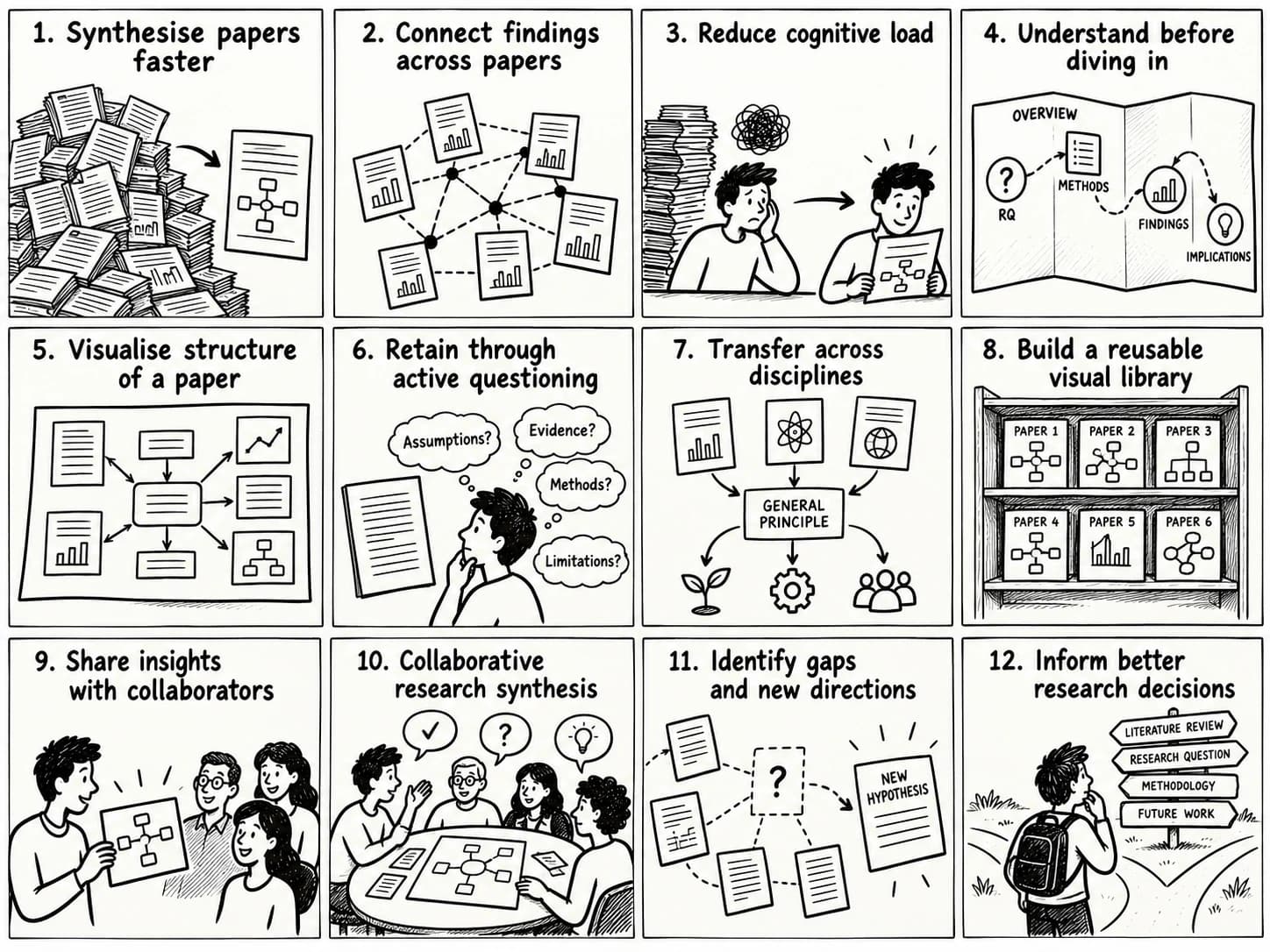
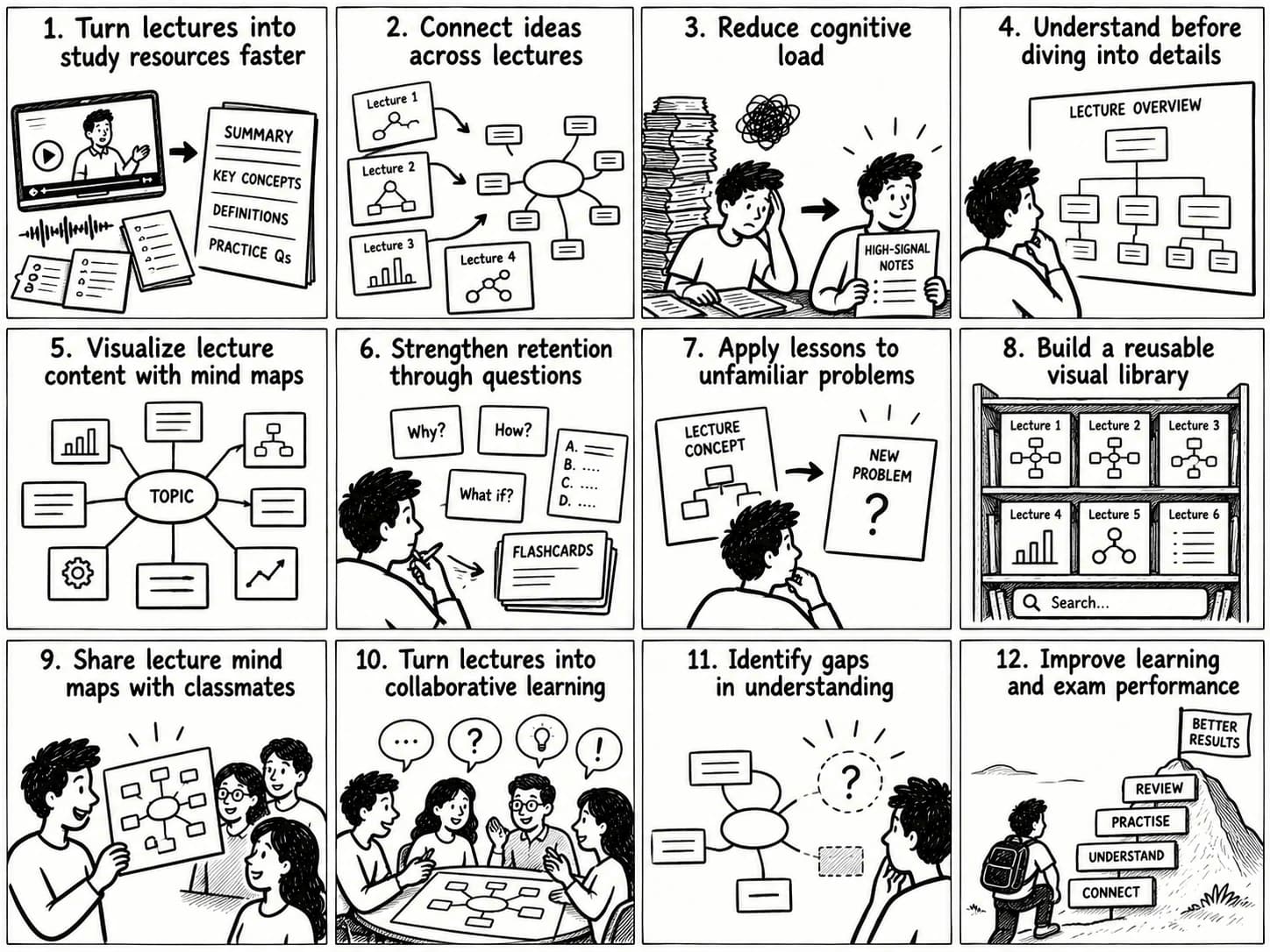
AI study guide makers reduce repetitive preparation work and help students create complementary learning resources. Their educational value depends on how effectively those resources support understanding, recall, and application.
Understand Complex Topics More Efficiently
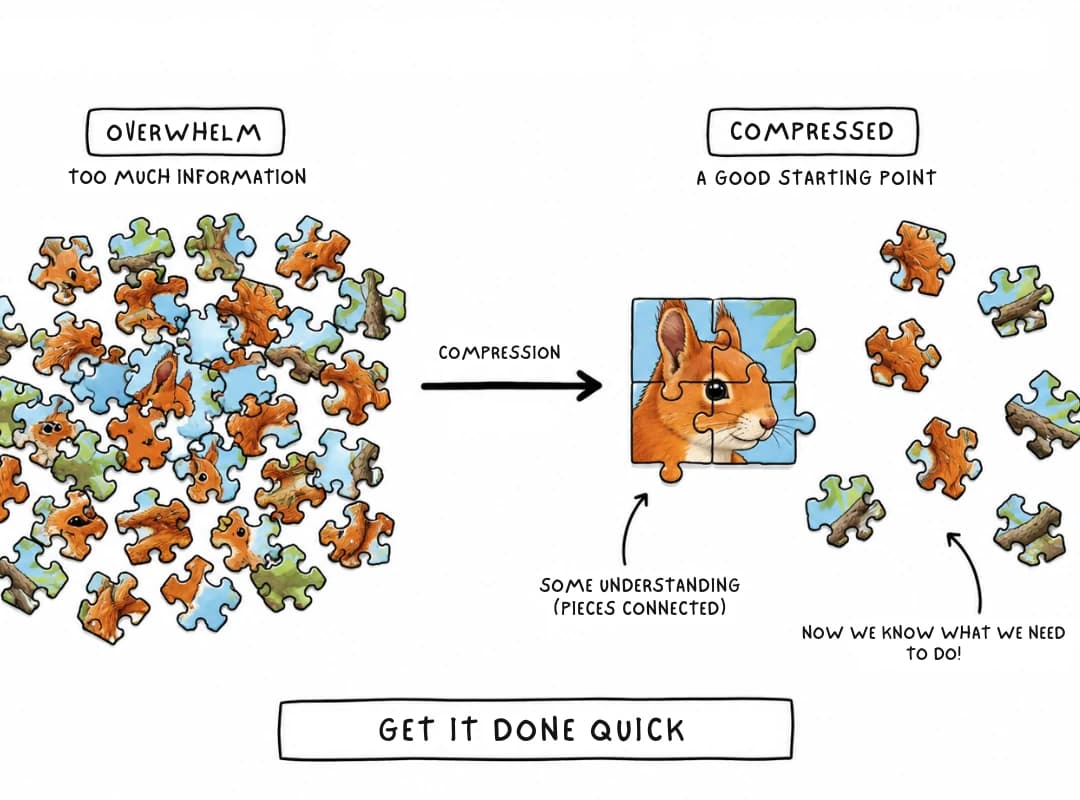
A structured overview identifies major concepts before students work through difficult details. Definitions, worked examples, and visual relationships help organize unfamiliar material into a coherent subject structure.
For technical topics, use step-by-step explanations and solve additional problems independently to check understanding.
Improve Knowledge Retention and Recall
A polished summary can create familiarity with the material, while self-testing reveals whether the information can be retrieved independently.
Combine concise notes with retrieval practice and spaced review. The cited research reviews by Carpenter and colleagues and by Agarwal and colleagues provide evidence for these strategies across studied learning contexts.
Simplify Exam Preparation and Revision
A syllabus-aligned guide makes topic coverage visible and helps students identify areas needing further work. Practice questions then reveal gaps that passive review may leave unnoticed.
Use the guide to organize revision and performance on questions to determine what deserves another session.
Organize Information Across Multiple Sources
Lectures, slides, textbooks, and supplementary readings often explain overlapping concepts from different perspectives. A structured guide connects those sources and makes recurring themes easier to find.
Preserving source references helps students trace claims and resolve differences between explanations.
Personalize Learning for Different Subjects and Goals
Students can adapt explanations, examples, organization, and question types to the skill being practiced. A broad mind map supports orientation, worked problems support procedural learning, and source comparisons support critical analysis.
Choose the representation that fits the task and preserve the distinctions required for accurate understanding.
Best AI Study Guide Makers and Alternatives
The best AI study guide maker depends on input formats, desired outputs, source-verification needs, budget, and editing workflow. Compare products using the same course material and inspect the actual results.
Compare Free AI Study Guide Generators
Test free tools on a representative chapter or lecture. Compare summary accuracy, preservation of key concepts, question quality, source references, file compatibility, and export options.
Check usage limits against the size of your course. Free access may be sufficient for occasional assignments, while larger projects may require more capacity.
Create Study Guides with NotebookLM
Google NotebookLM is designed around supplied sources and offers learning-oriented resources. Google's documentation describes source-based study workflows, while its NotebookLM study features and quick-start guide provide further information.
Evaluate its current source limits, available outputs, and sharing options against your requirements.
Generate Study Guides from PDFs and Lectures
General-purpose AI assistants can create summaries, structured notes, and questions from supported files. Dedicated course tools may provide specialized workflows for transcripts, recordings, or revision resources.
The practical test is whether the tool processes your sources accurately and produces material that is easy to verify and edit.
Compare Study Guide Makers for Students and Teachers
Students may prioritize exam preparation, practice questions, and personal organization. Teachers may emphasize learning objectives, age-appropriate explanations, curriculum alignment, and review before distribution.
Both groups should evaluate accuracy, accessibility, editing, exports, cost, and privacy. Teachers should verify generated materials before using them with students.
Choose Study Guide Tools by Input Format and Learning Needs
| Evaluation criterion | What to check |
|---|---|
| Input formats | PDFs, documents, presentations, transcripts, recordings, scanned pages |
| Source accuracy | Preservation of facts, definitions, equations, and qualifications |
| Source references | Ability to trace claims to original passages |
| Output types | Study guides, summaries, notes, mind maps, flashcards, quizzes |
| Editing | Ability to correct, reorganize, and customize generated material |
| Export and sharing | Available formats, collaboration, and portability |
| Pricing | Free limits, paid plans, and usage restrictions |
| Privacy | Data retention, permitted use, sharing, and account controls |
Choose based on demonstrated performance with your own materials, not the number of features listed on a product page. Recheck current pricing and capabilities before committing to a workflow.
Frequently Asked Questions
What Is the Best AI Study Guide Maker?
The best tool depends on your source formats, subject, desired outputs, budget, and need for citations. Compare tools using the same course material and check accuracy, editing, export options, and privacy before choosing.
Is There a Free AI Study Guide Generator?
Some AI assistants and study tools offer free access with feature and usage limits. Check whether the free tier supports your files, required outputs, and export workflow.
How Can I Generate a Study Guide from a PDF?
Upload a supported PDF, specify the course objectives, and ask the AI to organize the content into topics, definitions, examples, and revision questions. Verify the result against the original document, especially when the PDF is scanned or contains complex diagrams.
Can AI Create a Study Guide from PowerPoint?
Yes, if the tool supports the presentation format and can read the relevant content. Check embedded diagrams, charts, and screenshots separately because visual information may not be fully extracted.
Can I Create Study Guides for Any Subject?
AI can assist with STEM subjects, humanities, languages, and many other fields. The required structure differs by subject, so verify technical details against the relevant course material.
How Can Teachers Use AI to Create Study Materials?
Teachers can draft summaries, organize learning objectives, generate practice questions, and prepare differentiated resources. Review accuracy, curriculum alignment, accessibility, and age suitability before distributing the materials.
Can AI Turn Study Notes into Mind Maps?
Yes. An AI mind map generator can arrange notes into branches and relationships. Review the structure against the original notes to ensure that key concepts and meaningful connections are preserved.
What Is the Best AI Tool for Exam Preparation?
Choose a tool that works with your course materials and supports the revision activities you need, such as structured guides, practice questions, and visual maps. Test its accuracy and usability before relying on it.
Explore Related AI Learning Tools
Different tools support different stages of the learning workflow. Connect their outputs when a broader view of the subject is useful.
AI Mind Map Generator
Turn study materials into a visual structure of key concepts and relationships. Explore the y2map AI mind mapping workflow for organizing information into knowledge maps.
AI PDF Summarizer
Condense lengthy PDF readings into shorter summaries and key takeaways. Check source coverage and preserve important qualifications before using the summary for revision.
AI Book Summarizer
Organize book chapters into summaries, key ideas, and an overview of the author's argument. Chapter-by-chapter summaries help preserve context across longer works.
AI Course Summarizer
Turn supported course materials, lecture notes, and transcripts into structured summaries. Verify that the chosen tool supports the relevant source format and preserves course-specific terminology.
AI Flashcard Generator
Convert definitions, facts, and relationships into question-and-answer cards. Use them for retrieval practice and revisit errors during later review sessions.
AI Quiz Generator
Create practice questions from notes or course materials. Check the answer key and include explanations so that mistakes reveal gaps in understanding.
AI Lesson Plan Generator
Help teachers organize learning objectives, activities, explanations, and assessment ideas into a lesson structure. Review the generated plan for curriculum alignment and classroom suitability.
A useful AI study workflow connects the entire learning process: source materials become structured notes; notes become visual knowledge maps; verified concepts become practice questions. Each resource serves a distinct purpose, and checking the original material keeps the workflow grounded in what the course actually teaches.