Why Most People Forget What They Watch on YouTube
Plato feared writing would destroy memory. Twenty-four centuries later, human kind would sit in front of glowing black mirrors, watch 8 minutes out of forty-five on the rise and fall of the Roman Empire, and remember nothing. The humble goldfish, embarassing as it is to admit, sometime around 2015, had surpassed the average human in the contest of who can focus on something the longest.
Abundant with tools and utility, man sits with tens of millions of transcripts, instant AI summaris and a plethora of notebooks apps, open on multiple browser tabs simultaneously. And yet, three hours later, the only durable artifact of that "learning session" was a speck in the ocean of browser history and a vague sense of having been educated.
What Prevents Better Memory Retention When You Learn from YouTube
The real problem a combination of:
- Passive consumption
- Digital distraction
- Cognitive overload
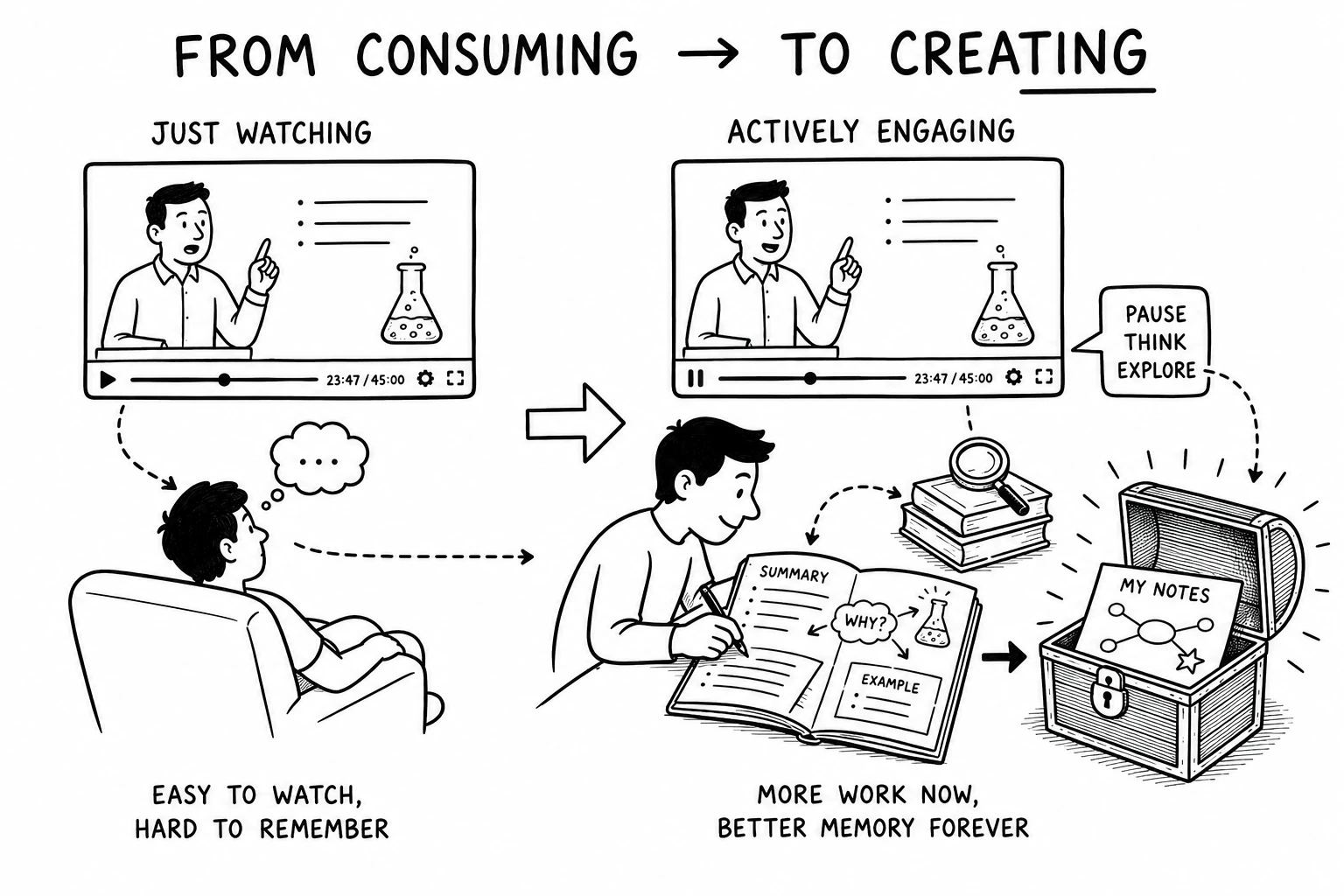
These make it difficult to learn from YouTube in a way that produces genuine memory retention and long-term learning retention. Afterall the platform is geared towards passive consumption and not active learning.
What Most YouTube Note-Taking Guides Get Wrong
Ignoring those of us who watch documentaries just because we need some noise in the background to sleep, we look at the plight of those earnest souls who, pencil in hand, scribble down notes furiously on paper, hoping to actually, god forbid, learn something... For them, the problem is that text-only YouTube note taking strips away the one thing your brain is actually built to remember—pictures.
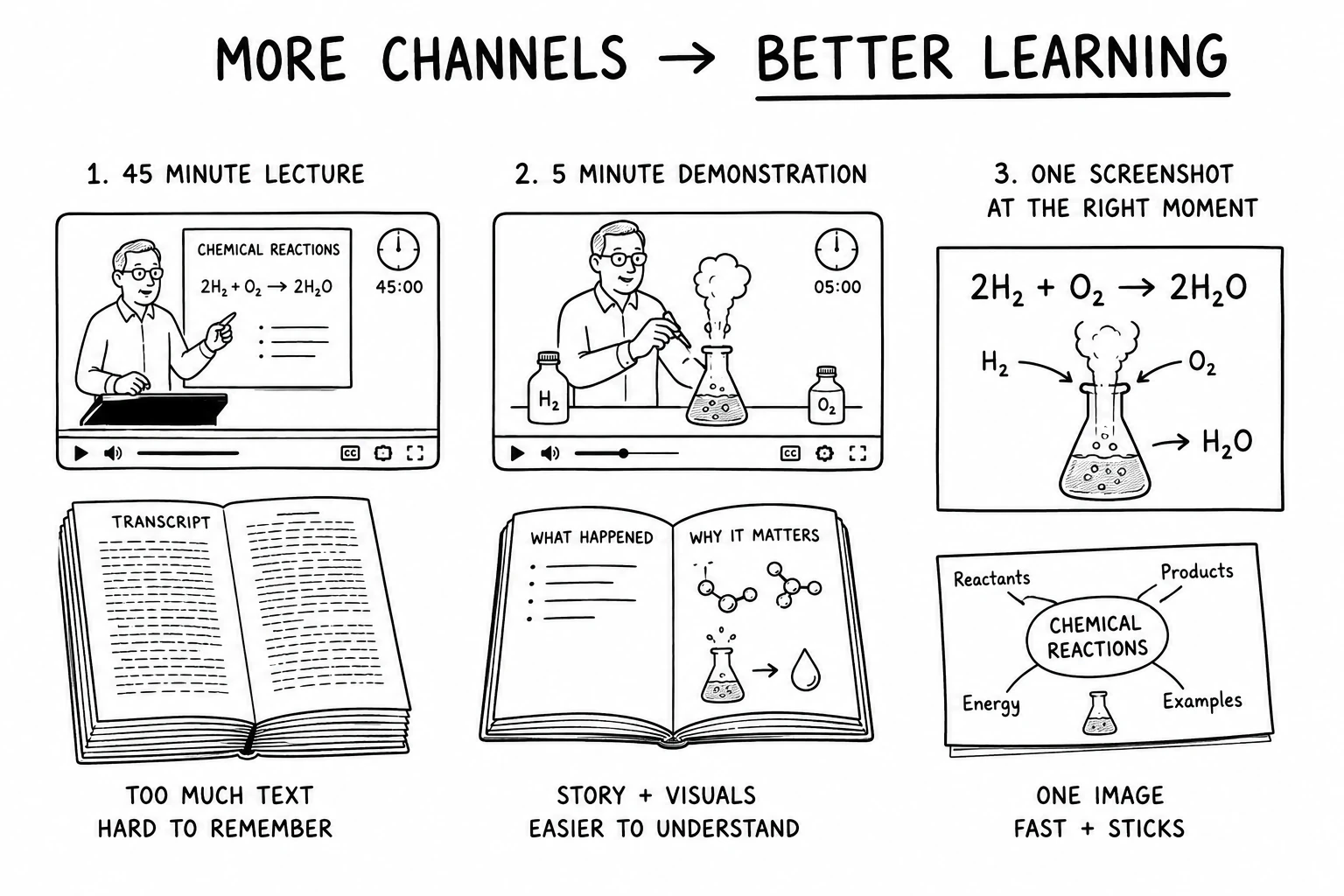
Every YouTube note-taking guide on the internet converges on the same table stakes: copy the YouTube transcript, paste it into Notion notes, maybe run it through an AI summary or another AI note taking tool, and file it away in a folder.
This approach is often presented as the best way to summarize YouTube videos, but in practice it often becomes the note-taking equivalent of digital hoarding, ending with significant information overload and a vague recollection of how things were simpler in the good old days.
Why AI Summaries and Transcripts Aren't Enough
Transcripts faithfully collect words like an obsessive squirrel hoarding acorns. AI summaries then take that mountain of acorns and hand you a neat little trail mix.
Useful? Absolutely.
Neither captures the professor's split-second expression that silently screams, "If you remember only one thing, make it this," or the cathedral looming in the background that quietly reminds you humans occasionally stop arguing long enough to build something magnificent.
If you don't have a transcript yet, see How to Get a YouTube Transcript in 2024.
Research on the picture superiority effect shows that images are remembered about 1.5× better than words after three days. Dual coding theory explains why: when your brain receives both words and visuals, it stores the idea through two mental routes instead of betting everything on a single, overworked librarian.
That's why effective note organization isn't about building a prettier archive—it's about building better retrieval cues. The goal isn't to save information. The goal is to make future-you mutter, "Oh right... I remember exactly what this meant."
Why Information Overload Makes Learning Harder
Every time we watch a video, our brains are asked to juggle narration, music, jump cuts, animations, reaction shots, flashing captions, and the occasional advertisement enthusiastically explaining why our lives are incomplete without a smarter toothbrush.
Plato, the same man who worried that writing itself might make people lazy because they would outsource memory to ink would be aghast at the thought of a platform where a lecture on chemical reactions is interrupted by an algorithm suggesting twelve conspiracy theories, three productivity hacks, and a cat chasing a dog.
We can't return to an age of parchment and uninterrupted contemplation, nor would most of us survive without a search bar for very long. What we can do is extract the signal from the circus. A little contemplation can help one transform a stream of fleeting audiovisual experiences into durable mental models that are easy to understand, remember, and retrieve months later.
Why Visual Note-Taking Beats Text-Only for YouTube Videos
Your brain is a pattern-recognition engine wrapped in wetware, and it has spent millions of years prioritizing visual input over words on paper. In the grand scheme of things, writing is a recent invention. Visual Learning through the digital medium is, historically speaking, basically yesterday. But the cognitive architecture underneath is ancient.
| Note Type | 24h Retention | 72h Retention | Pattern Recognition |
|---|---|---|---|
| Text-only notes | ~40% | ~20% | Low — linear, no visual anchors |
| AI-generated summary | ~35% | ~15% | Low — compressed, no provenance |
| Annotated screenshots | ~65% | ~45% | Medium — visual anchors present |
| Screenshot + mind map | ~75% | ~55% | High — relational structure visible |
The Limitations of AI Summaries and YouTube Transcripts
AI summarisation tools—Glasp, Eightify, summarize.tech, and other video summarizer tools—perform a useful function.
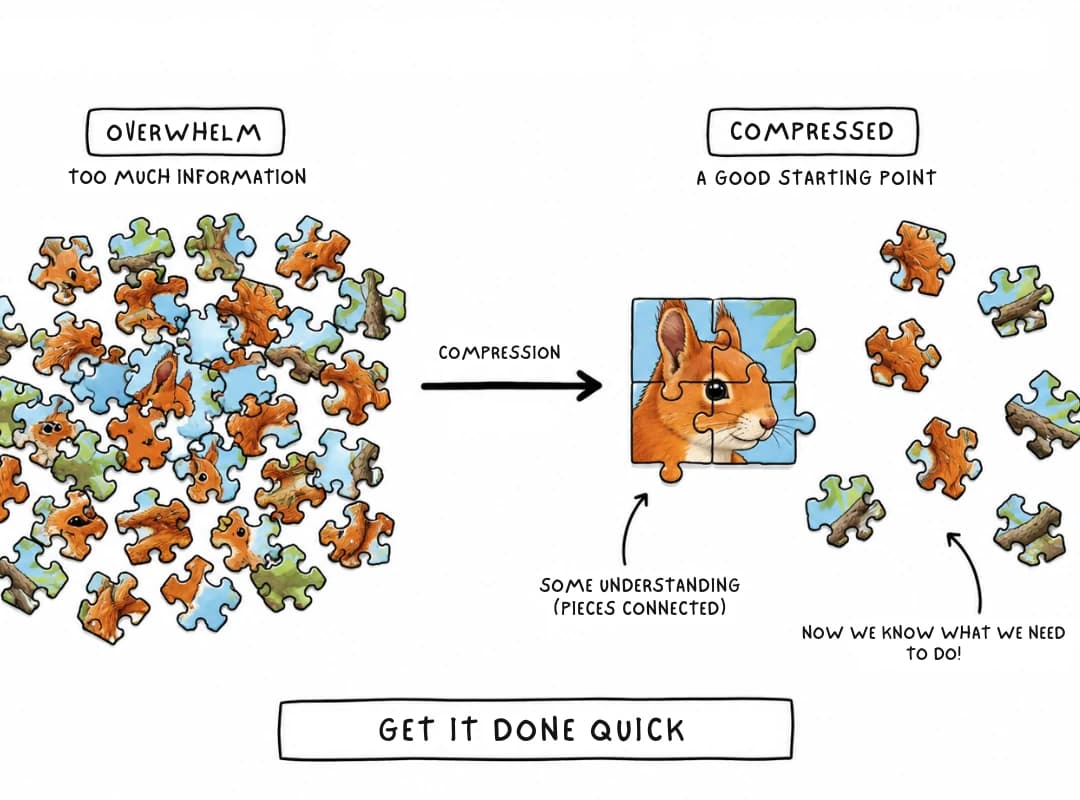
They compress.
For a full ranked comparison of these tools, see Best AI Tools to Summarize YouTube Videos.
A YouTube transcript can be summarized succinctly by AI, producing an insightful sentence such as:
"Titus Quinctius Flamininus pursued an old and aging Hannibal, resulting in the latter consuming poison... Much to the chagrin of the Roman Senate."
Blindly reading through AI summaries may or may not make the reader cognizant of the nuances of the Roman view of honour.
Another section is produced:
"Scipio defeated Hannibal decisively at Zama, yet he treated Hannibal with dignity during their negotiations."
The information is accurate, the lesson is there but the historical context, semantic understanding, and deeper comprehension could be richer if there was a face attached to the name, a battlefield to visualize or, as the gentleman who created the meme above no doubt felt - 2 dogs of varying physical stature. A good summary can make deep ideas implicit, like the gravity of the Roman ideal of magnitudo animi—greatness of spirit, the glorious heights to which a civilization can aspire to and so on so forth.
Why Images Improve Recall
!(Alt text)(/m-4.webp)
It would be a whole lot easier to remember these ideas if the names came with actual faces instead of expecting your brain to enthusiastically file away "Some European fellow, 1847, did something important." So when you're reading a summary or mind map, spend twenty seconds doing something delightfully old-fashioned: Google the person, glance at their face, steal—I mean copy—their portrait, and drop it into your notes.
That tiny interruption is the educational equivalent of hiding vegetables inside pasta sauce. It feels like extra work, but your brain quietly applauds the trick.
Memory researchers call this a retrieval cue: a small trigger that unlocks a much larger memory. Seeing the face doesn't just remind you of the person—it replays the little scene of you discovering them. Suddenly you remember what the presenter said, why it was interesting, what rabbit hole you disappeared into, and the note you scribbled in the margin because it finally clicked. Ideas are thus easier to retrieve later than relying on a YouTube transcript or AI summaries alone which do not engage active learning or the spatial and visual memory systems.
You are effectively replacing half an hour of digital stimulation—the cognitive equivalent of junk food, with old school learning and research. Essentially this process triggers recall equivalent to re-watching the segment. In 1/10th the time.
The Best Workflow for Learning from YouTube
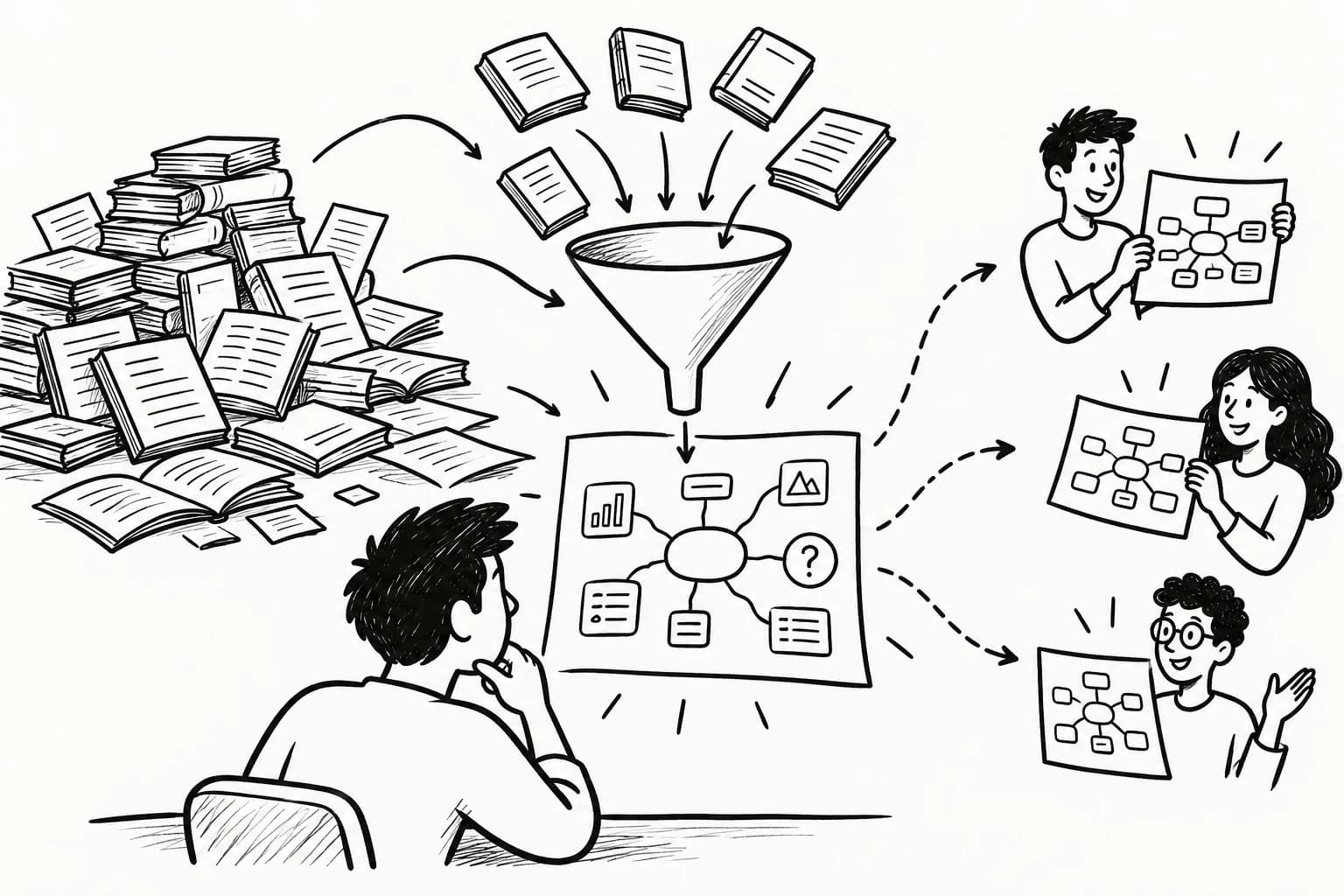
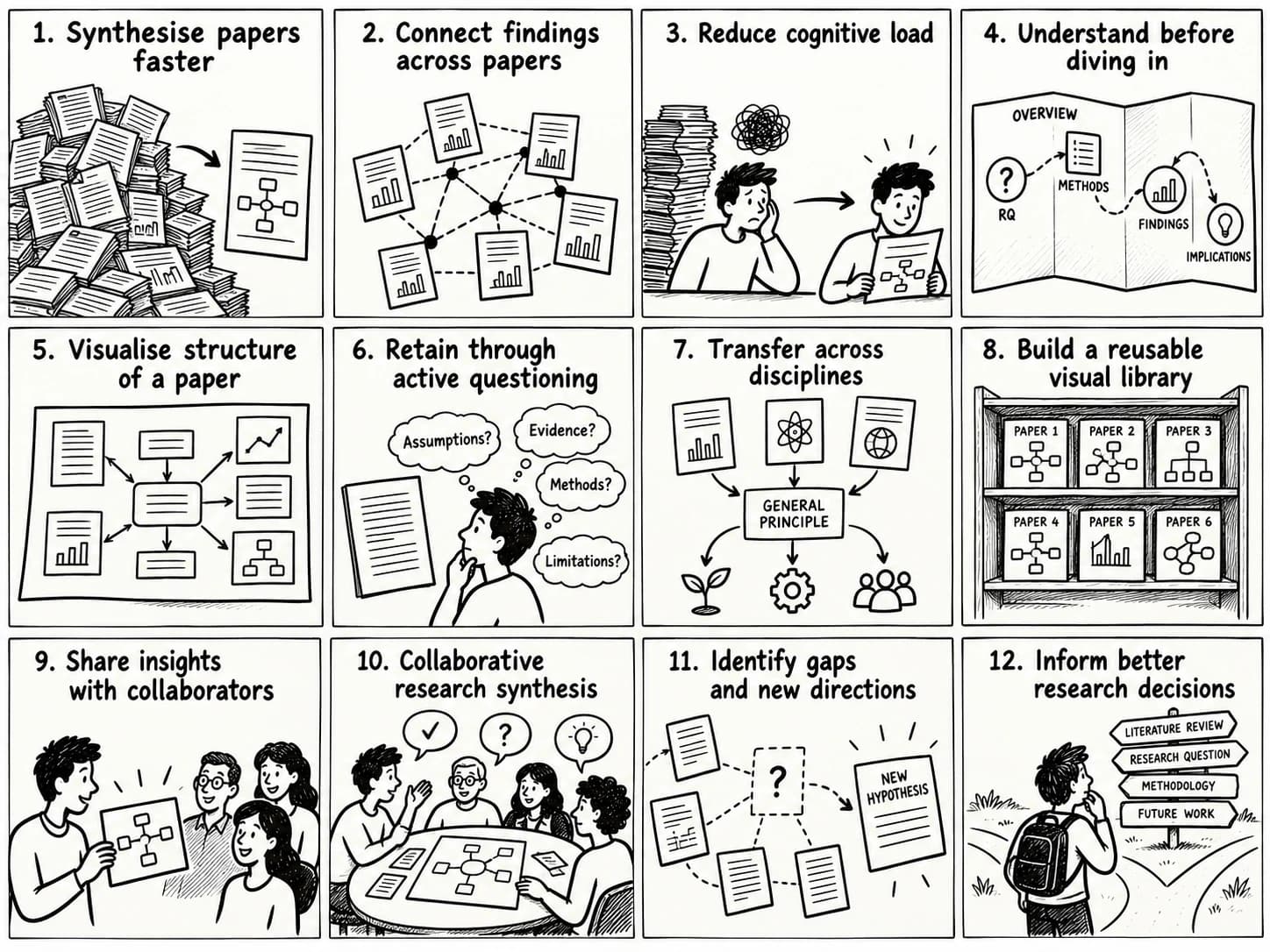
Before watching the video, you need the context. Our summary and mind map combination does the heavy lifting for you. Thematic clustering, spatial organization, visual anchors, relationship mapping, information compression, and rapid navigation all within the first 2 minutes (if you read fast). This preserves your viewing flow while allowing your brain, which already knows what's coming, to notice the intricate details and seek a deeper understanding instead of getting overwhelmed by the lights and sounds.
It also transforms a simple YouTube workflow into a long-term knowledge management workflow, where every video contributes to your first and second brains instead of disappearing into watch history.
The Best Annotation Method for Learning
Research on the generation effect—the finding that self-generated information is remembered better than passively received information—shows that writing your own analysis improves transfer and application by up to 40% compared with reading someone else's summary.
y2map's editable summaries and mind maps enable endless iterations, combining active learning, elaboration, metacognition, and self explanation making these note taking techniques simple and effective.
Feynman, for instance, would have nodded in appreciation.
The three-part annotation method:
-
Core Idea. Improve the methods of the nodes of the mindmap based on a multiple-pass approach and make them more insightful. Go beyond the generated text, personalize it and make it yours.
-
Personal Question or Reaction. Ask what is unclear, contradictory, or worth investigating. Questions are stronger than statements because they create an information gap, and information gaps drive retrieval effort, strengthening memory through questioning. Example: "Why did Roman senators criticize Flamininus after Hannibal's death?"
-
Connection to Prior Knowledge. Link this frame to something you already know. Connect it to another event, leader, or recurring historical themes. Connection is compression—you are anchoring new information through prior knowledge activation rather than building an entirely new structure. Symbolise the connection with an image and annotate. Example: "Victorious states often pursue symbolic rivals long after they cease to be military threats."

This AI mind mapping workflow supports concept mapping, hierarchical thinking, idea clustering, abstraction, synthesis, and the creation of durable visual knowledge.
How Visual Mind Maps Surface Hidden Patterns
The first few clusters of a mind map are like assembling the border pieces of a jigsaw puzzle before attacking the sky. Without them, a video feels like someone enthusiastically emptying a thousand puzzle pieces onto your desk while insisting, "Don't worry, it'll all make sense in forty-five minutes." With them, Every explanation either confirms your map, reshapes it, or forces you to redraw a branch. Your attention quietly graduates from collecting information to performing pattern recognition. Instead of asking, "Can I remember this?" your brain starts asking, "Where does this fit?"—a much better question, and one your memory is surprisingly eager to answer.
This is one of the biggest reasons mind mapping improves critical thinking. The radial structure intuitively encourages deeper analysis instead of passive observation or linear study.
Remember 1 Pattern instead of 100 Facts
Because you already understand the broad landscape, you ask better questions. Rather than "What happened?", your questions become:
- Why did Hannibal make this decision?
- What assumption is Cato making?
- Where have I seen this pattern before?
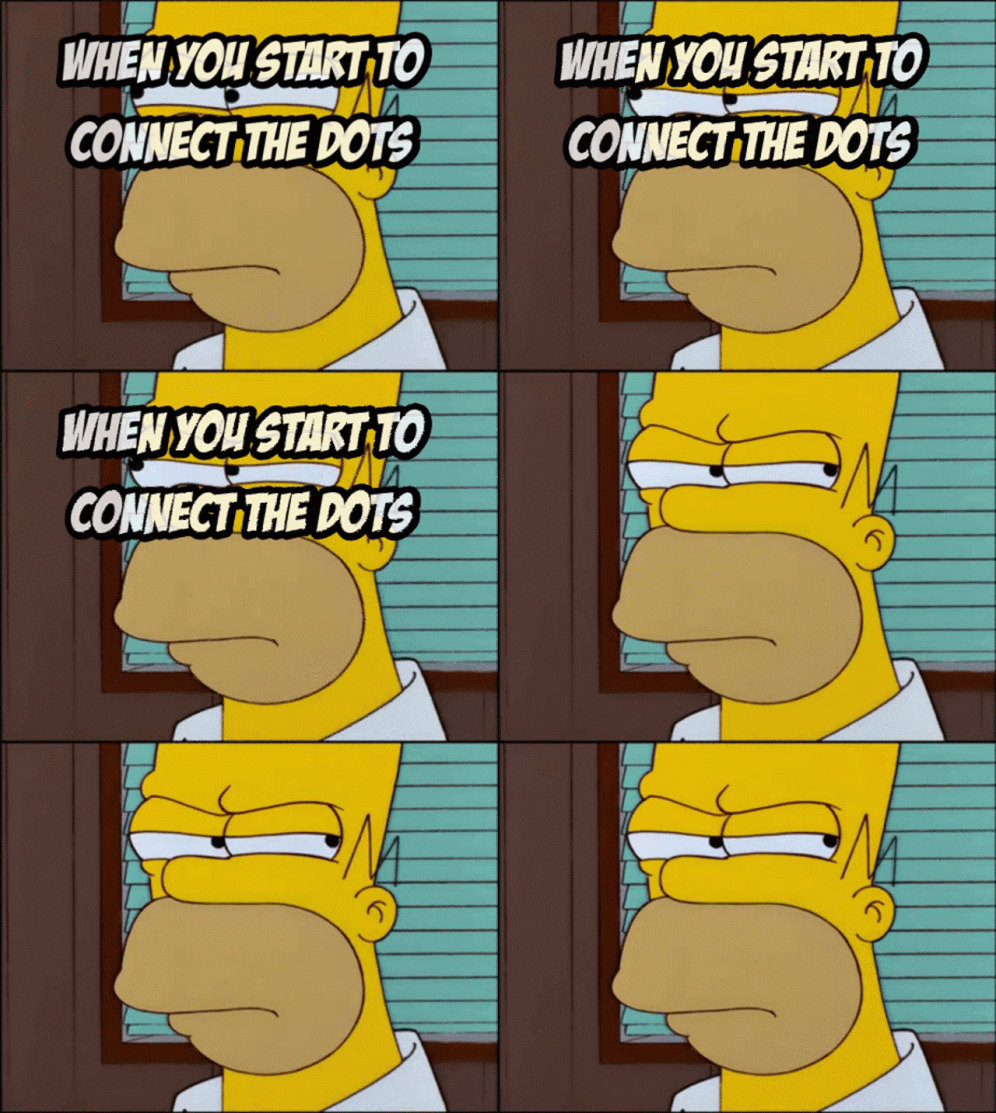
Better questions direct attention toward deeper explanations instead of surface details. This process improves finding patterns in information, strengthens inference, and helps reveal the conceptual relationships that connect ideas across the entire topic.
Why Visual Thinking Makes Hidden Connections Visible
Most importantly, you begin noticing what you would otherwise miss. A passing remark, a change in tone, an omitted detail, or an unexpected connection between two events suddenly stands out because your brain has enough bandwidth to process it. Nuance becomes visible, subtext becomes meaningful, and contradictions become invitations to investigate rather than details that slip by unnoticed. Once your working memory isn't busy carrying every individual brick, it finally has time to admire the architecture.
These visual thinking techniques gradually build stronger cognitive models through schema formation, giving every new idea somewhere sensible to live instead of abandoning it in the mental lost-and-found alongside forgotten passwords.
Each viewing becomes a feedback loop. The AI provides an initial map, the video refines that map, and your annotations uncover new patterns that neither could reveal alone. Instead of merely spotting recurring shapes, you begin uncovering the hidden rules that generate them. Systems thinking, abstraction, and richer conceptual models emerge almost as a side effect, allowing insights from one field to wander across disciplinary borders and introduce themselves somewhere completely different.
AI-Assisted Visual Note-Taking vs. Manual Capture
The honest answer to "should I use AI or do it myself?" is: both, depending on the goal. Manual selection of screenshots engages the generation effect — you are choosing what to capture, and that act of selection is itself a form of encoding. Research consistently shows self-selected information is retained roughly 2x better than passively received information. If your goal is deep mastery and long-term retention, manual capture is the way.
But if your goal is a first-pass scan — deciding whether a 90-minute conference talk is worth deep study — AI can pre-filter 80% of the less useful frames, leaving you with a curated set of candidates to annotate manually. The time saving is real. The retention cost is real too. The question is whether the trade-off fits your goal.
| Dimension | Manual Capture + Mind Map | AI-Assisted Capture | Hybrid (AI Pre-filter → Manual) |
|---|---|---|---|
| Speed | Slow (15–20 min per video) | Fast (3–5 min per video) | Medium (8–12 min per video) |
| Retention (30 days) | High (~75%) | Medium (~40%) | High (~65%) |
| Pattern recognition | High — personal selection reveals priorities | Low — algorithmic selection reflects frequency, not importance | High — pre-filtering saves time without sacrificing encoding |
| Effort | High | Low | Medium |
When to Use AI Tools and When to Capture Yourself
The decision framework is simple:
Use AI capture when: you are conducting initial research on an new topic, scanning a conference talk for relevance, or processing a high-volume news stream where deep mastery of every video is not the goal. AI summarisation and automated frame extraction give you a map of the territory without making you walk every acre.
Use manual capture + mind mapping when: you are studying a topic you intend to master, building a knowledge base you will revisit months later, or cross-referencing ideas across multiple sources. The generation effect, the three-part annotation method, and the spatial organisation of a mind map all compound to produce knowledge that is structured for retrieval rather than storage.
The tool does not replace thinking. It structures it. Manual selection builds meta-learning and pattern-recognition skill. The mind map makes the products of that skill visible, navigable, and reusable.
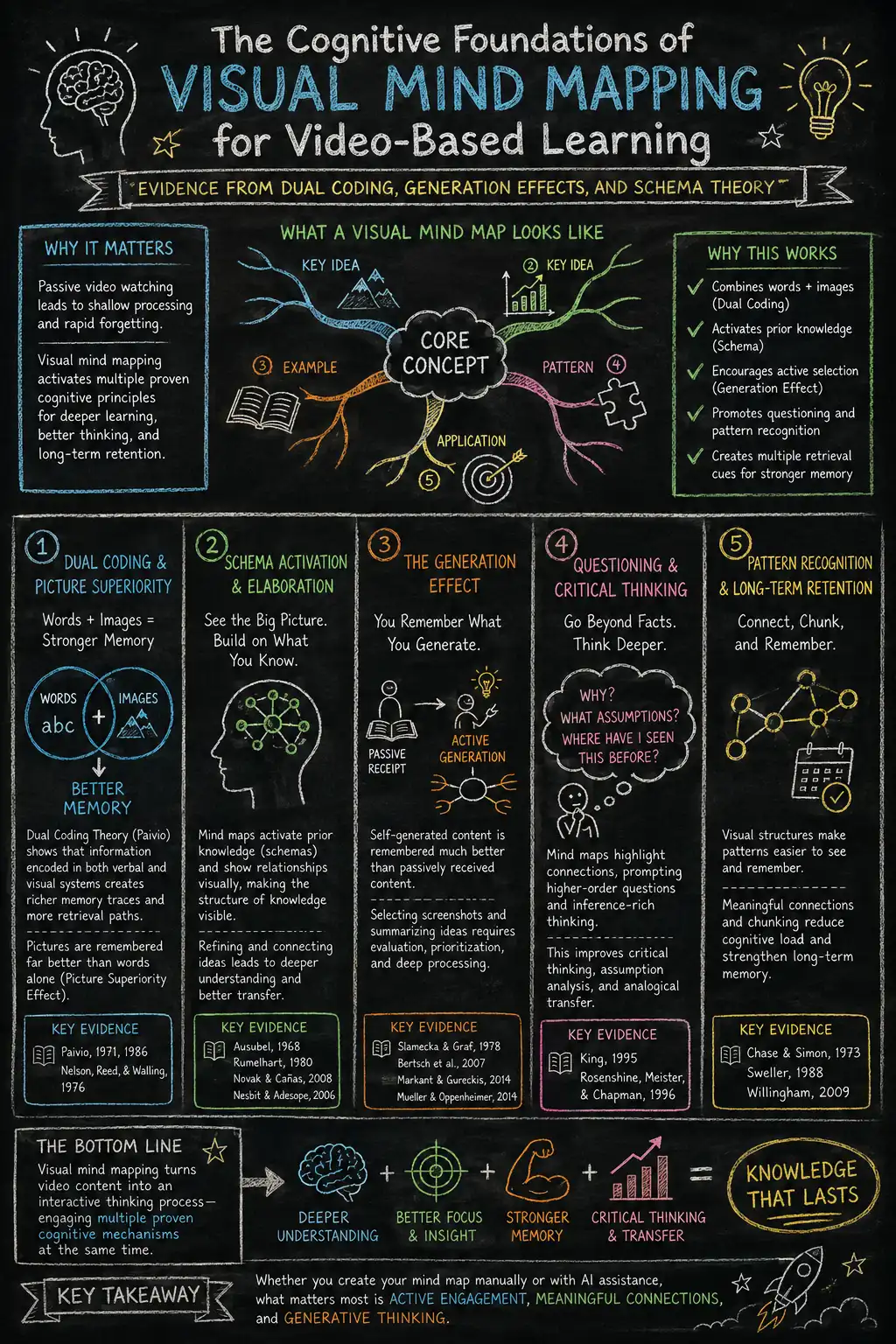
Turn YouTube Videos into Knowledge That Lasts
Visual learning gives your brain something to grab onto.
Instead of asking it to remember a parade of abstract words, you hand it images, spatial layouts, relationships, and—most importantly—something it helped build itself. Memory is remarkably cooperative when it gets to participate instead of merely spectate.
Over time, each mind map becomes less like a note and more like another street added to a growing city. Every new idea has more places to connect, more shortcuts to travel, and fewer chances of getting hopelessly lost in the intellectual suburbs.
-
Strengthen memory with visual learning: Give every idea a face, a place, and a purpose. Your brain remembers scenes far more willingly than neatly formatted paragraphs.
-
Connect ideas instead of collecting them: A pile of facts is a storage unit. A mind map is a subway map. One hides information; the other helps you travel through it.
-
Build a knowledge base that gets smarter: Stop paying the "rewatch tax." Every annotated map becomes another reusable building block, making the next topic easier to understand than the last.
Turn every YouTube video into knowledge you'll still remember long after the autoplay queue has forgotten you.
To see how Y2Map's approach compares to other mind mapping tools, read Y2Map vs MindMeister & Competitors.
References
| Principle | What it explains | Benefits |
|---|---|---|
| Picture Superiority Effect | Images are remembered better than words. | Visual nodes, icons, and thumbnails improve recall. |
| Dual Coding Theory | Combining visual and verbal information strengthens memory. | Text labels paired with images create multiple retrieval pathways. |
| Generation Effect | Actively creating information improves retention. | Building and annotating your own mind map produces deeper learning than passively reading notes. |
[1] Picture Superiority Effect - Nelson, D. L., Reed, V. S., & Walling, J. R. (1976). Pictorial superiority effect. Journal of Experimental Psychology: Human Learning and Memory
[2] Dual Coding Theory Paivio, A. (1971). Imagery and Verbal Processes. Holt, Rinehart & Winston. Paivio, A. (1986). Mental Representations: A Dual Coding Approach. Oxford University Press.
Generation Effect - Slamecka, N. J., & Graf, P. (1978). The generation effect: Delineation of a phenomenon. Journal of Experimental Psychology: Human Learning and Memory
Frequently Asked Questions
How can I take notes from a YouTube video?
The most effective approach is to avoid relying solely on transcripts or AI summaries. Instead, start by reviewing an AI-generated summary or mind map to understand the video's structure. Then watch the video while capturing screenshots of important moments, annotate each image with your own insights, and organize them into a visual mind map. This multi-pass workflow transforms passive watching into active learning and significantly improves long-term recall.
How do I add notes to a YouTube video?
Rather than adding notes directly inside YouTube, create image annotations alongside the video. Capture meaningful frames, write a short explanation of why each image matters, ask a personal question, and connect it to something you already know. These annotated screenshots become visual retrieval cues that are far easier to remember than timestamped text notes.
How to take notes effectively on YouTube?
An effective workflow combines three stages:
- Preview the AI summary and mind map to understand the video's structure.
- Watch the video while identifying important visual moments.
- Annotate screenshots and organize them into thematic clusters.
This process combines visual memory, active recall, and pattern recognition instead of simply collecting information.
How do I take notes when I'm watching a video?
Avoid pausing every few seconds to write paragraphs of text. During your first viewing, focus on understanding the content. On a second pass, capture the most important screenshots, annotate them with your own observations, and place them inside a mind map. Separating viewing from annotation reduces cognitive overload while improving retention.
How can I take notes on a video?
Treat a video as a visual learning resource rather than a transcript. Save key frames instead of copying long passages of text, then organize those screenshots into a mind map where related ideas are grouped together. The combination of images and concise annotations creates stronger memory than text alone.
How do I convert a YouTube video to PDF notes?
Most AI tools can generate a transcript or summary that can be exported to PDF, but text alone often loses important visual context. A richer approach is to combine AI summaries with annotated screenshots and a visual mind map before exporting your notes. This preserves both the explanations and the imagery that make ideas easier to remember.
Can ChatGPT take notes from a YouTube video?
ChatGPT can summarize transcripts and explain concepts from a YouTube video, but transcripts alone cannot capture the visual context that supports memory. Combining AI-generated summaries with manually selected screenshots, annotations, and a visual mind map creates a more complete learning system than text alone.
What is the fastest way of taking notes?
The fastest workflow is to let AI perform the initial summarization while you focus only on the most valuable visual moments. Instead of writing everything yourself, review the summary, capture a handful of meaningful screenshots, annotate them, and organize them into a mind map. This hybrid approach balances speed with long-term retention.
How do I add notes in a video?
Instead of embedding notes directly into the video, create notes around the video. Annotate screenshots with the core idea, your own question, and a connection to prior knowledge. These annotations become cognitive anchors that help you reconstruct the original lesson much faster than rereading a transcript.
How can I convert a YouTube video into notes?
Begin with an AI-generated transcript and summary to establish the overall structure. Next, review the video a second time to identify important visuals worth capturing. Finally, organize your annotated screenshots into a mind map that groups related ideas together. The result is a searchable knowledge base rather than a collection of disconnected notes.
How can I extract slides from a YouTube video?
Pause on important frames containing diagrams, presentations, or illustrations and capture screenshots. Rather than collecting every slide, keep only the visuals that support the video's core concepts. Add brief annotations and connect each slide to related ideas inside your mind map so it becomes part of a larger knowledge structure rather than an isolated image.