If history, that inconvient set of dates and facts, taught us anything, its that ressistance is more often than not, futile.The scribes and luddites, when confronted with the printing press and power loom, bemoaned the evolution of 'techne', a greek word that described the titan Prometheus' gift to mankind. The luddites had a valid point, the power loom threatened livelihoods and leverage but like the printing press before it, was too productive to ignore.
The owners of capital steamrolled through all the opposition and the industrial revolution created misery on a scale previously unknown to man. However, after one bit the proverbial bullet, clothing, once a luxury became common place just as literacy and reading before it. Each of these innovations were the seeds for the next and today, Somewhere in Silicon Valley, several billion dollars' worth of data centres are humming away so that a world-class lecture on Why the Roman Republic Collapsed can arrive on your screen almost instantly.
Why YouTube Transcripts Matter
The "pen is mightier than the sword" and the revolutionary act of putting pen to paper has, especially in the past century, has culminated, somewhat counterintuitively, in philosophies like Anti-Intellectualism and alarming statistics like:
- "27% of American readers read between one and four books in 2025."
- "According to The Annie E. Casey Foundation, only 30% of Gen Alpha fourth graders read proficiently as of 2024, down from 32% in 2022."
The tendency to shun reading and learning is favoured by the general public, and on the other hand, big tech, YouTube in particular,—has spared no expense in its efforts to transcribe every word, umm and ah spoken across millions of videos on their platform across hundreds of languages. The YouTube transcript—a garbled mess but nevertheless searchable, timestamped record of every argument and example—can be used as an even more counterintuitive solution to this problem.
What You Can Do with a YouTube Transcript
Thanks to automatic speech recognition (ASR), closed captions, and searchable transcripts, millions of hours of long-form video can now be treated as text. Instead of half watching a 2 hour lecture, nodding along for twelve minutes while scrolling down the feed or comments, getting distracted by a shiny thumbnail, and eventually remembering absolutely nothing one can utilize the transcript extract what we want.
Search, Annotate & Summarize YouTube Transcripts
A YouTube video transcript can be:
- searched
- annotated
- converted into study notes
- analysed with an LLM
- processed through topic extraction
- thematic clustering
- semantic search
- information retrieval
- concept mapping
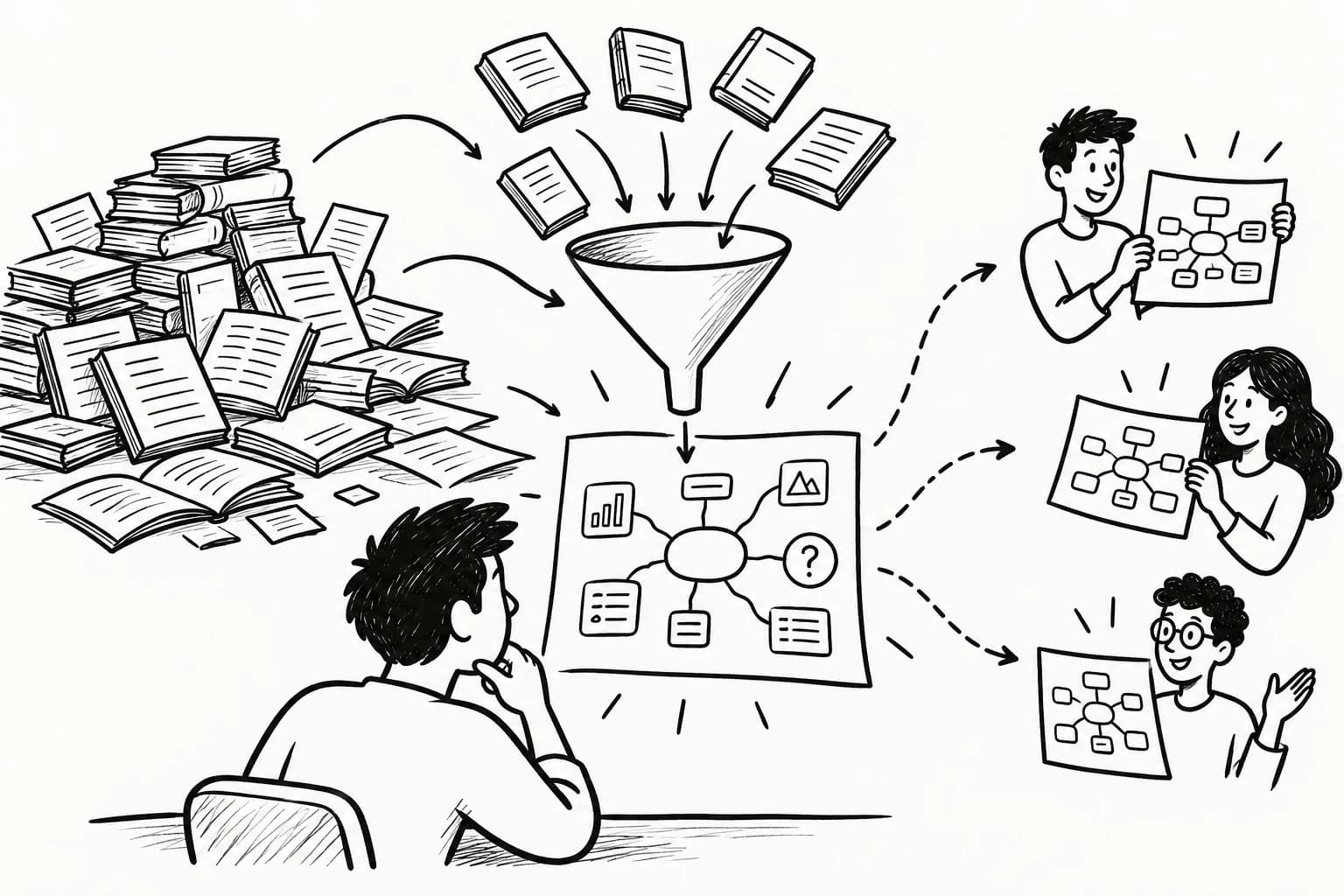
A two-hour lecture (1 hour with 2x) doesn't have to feel like excavating one good idea with a tiny spoon. This is where knowledge graphs, concept maps, visual note-taking, and personal knowledge management (PKM) become useful. Instead of reducing a video to five bullet points, you want to preserve its intellectual structure while removing the noise.
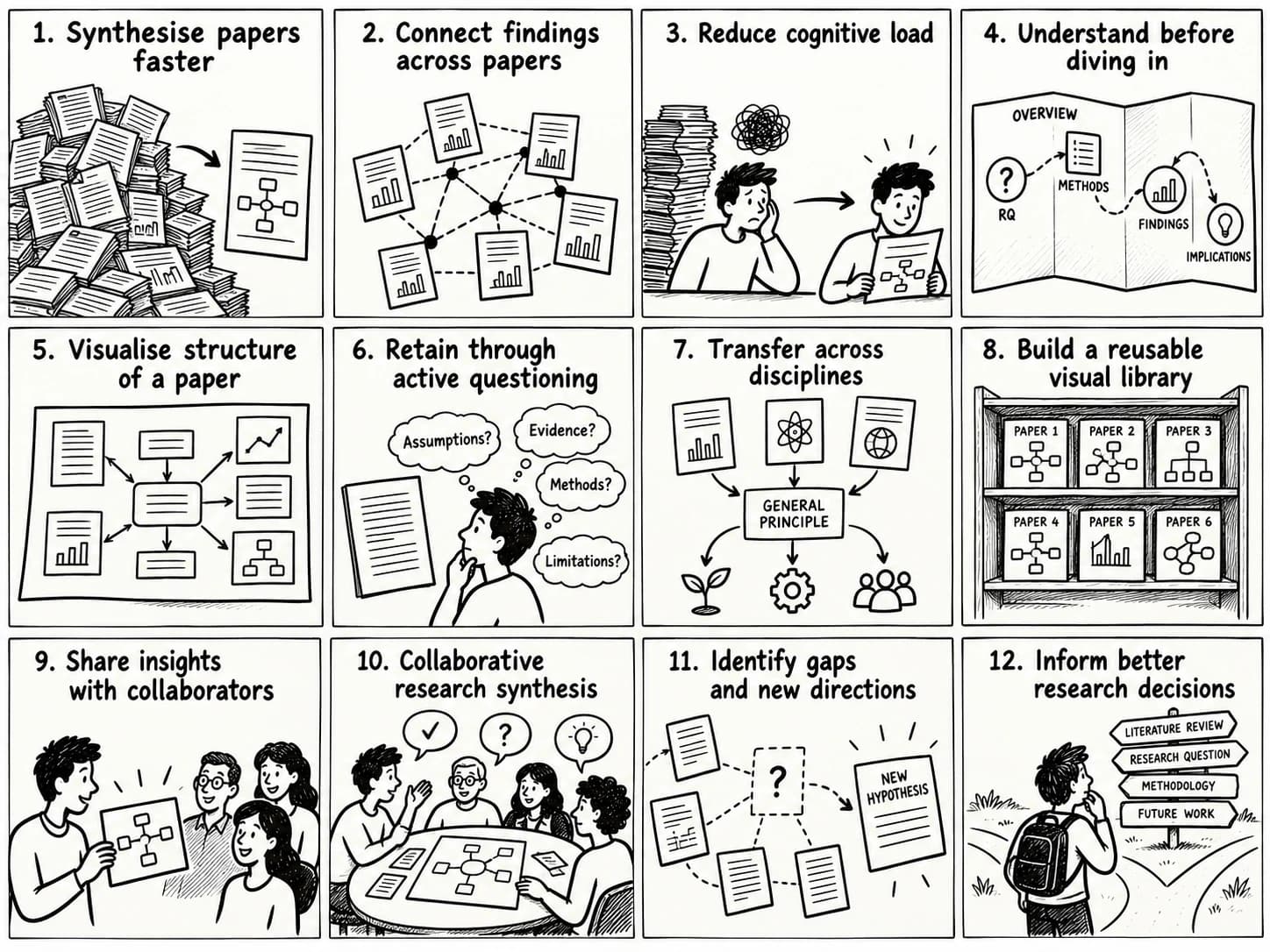
Goodbye long-winded intros, sponsored detours, dramatic pauses, jump cuts, and enough "Don't forget to subscribe!" reminders to qualify as psychological warfare. Your cognitive load[1] goes down without throwing the important ideas overboard. A good summary doesn't just save time—it saves your attention. Instead of relying on the timeless study technique of "watch it again and hope," it gives you a cognitive scaffolding you can actually think with.

Beyond AI Video Summaries
YouTube's AI is great for answering, "What happened?" It's much less interested in "What does this actually mean?" After all, the business model isn't "leave enlightened"—it's "just one more video." So the summary skims the surface, and before long you're in the comments looking for the heroic stranger who explained the whole thing better than the creator.
The more interesting problem is knowledge extraction.
Not just what was said, but the claims, evidence, people, recurring ideas, and hidden relationships—then organizing them into something you can explore, iterate and eventually make into a unique asset you can share on social media or use in your own videos instead of merely consume. If this is interesting, you can compare tools that turn it into structured summaries in our Best AI Tools to Summarize YouTube Videos guide.
The Shift from Passive Watching to Active Learning
Watching a video is consumption.
Highlighting the transcript is curation.
Grouping those highlights into themes is pattern recognition. Connecting those themes in a mind map is where the interesting part begins—it turns isolated points into a model you can reason with and what's more, trace the train of thought and see how an idea progressed from argument, counterargument, synthesis and consensus.
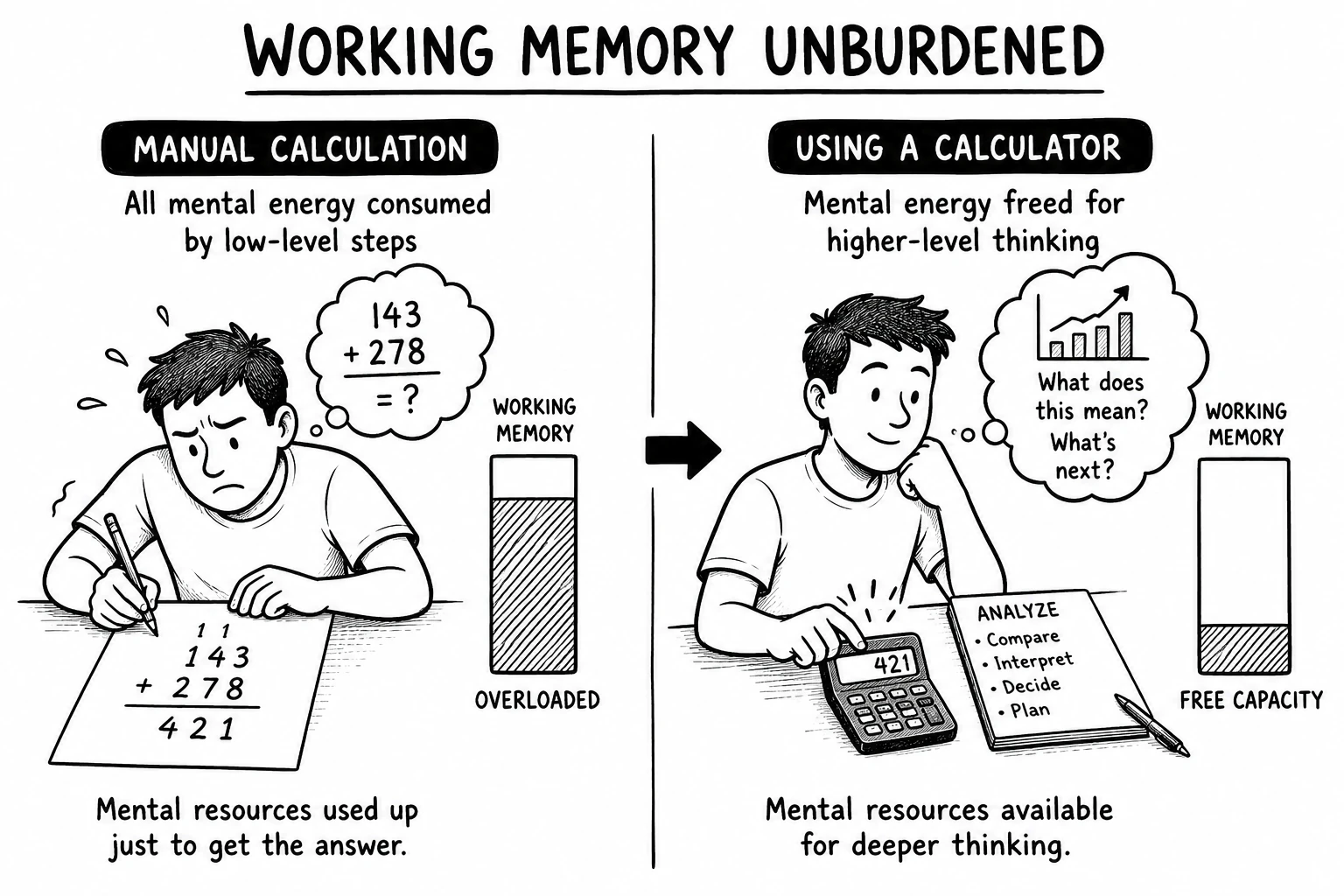
The payoff isn't another folder full of highlighted PDFs you'll heroically ignore forever. It's better comprehension, faster recall, and easier retrieval. Visual structure, elaboration, and cognitive offloading get the bookkeeping out of your head, leaving more brainpower for the part AI can't do for you: connecting the dots. Techniques such as elaborative encoding, visual learning, and cognitive offloading reduce the burden of holding everything in working memory while giving you something structured to return to later.
AI Builds the First Draft, You Build the Understanding
While there is no replacement for doing this work by hand, y2map provides a first-pass version of that structure.
AI can build the first draft and you iterate, perform secondary research, annotate, add memes, and otherwise actively engage with the material. For the full annotation and note-taking workflow, see How to Take Notes on YouTube Videos.
This supports deeper understanding better than passive reading alone.
Turn Information into Usable Knowledge
The printing press made information widespread, the internet made information easier to access— AI made it faster to retrieve. But now, we are faced with an endless buffet of facts that our brains have no chance of processing if you try to gobble it down all at once. However, there is a silver lining.
AI is great at the heavy lifting:
- filtering information
- synthesizing sources
- organizing ideas
- building the first draft of a knowledge structure
The trend has always been cognition migrating upstream. That means, we get to do the interesting part: spotting patterns, questioning conclusions, finding blind spots, and extending ideas. That's a far better use of your brain than spending an hour nudging boxes around a mind map.
A conventional summary tells you what was said. When integrated as a part of our workflow, it can help you understand why it matters, how the ideas connect, and where to take them next.
Iterate, Question, and Learn
Y2Map's instant summaries give you just enough context to skip the "Wait... what's the point of this again?" phase and spend more time thinking than decoding. Once the argument is visible, it's much easier to spot what you understand, what you disagree with, and where your knowledge quietly falls apart.
Then use the Feynman Technique: explain the idea in plain English, discover the parts your brain replaces with confident hand-waving, and jump back to the source. Best of all, thanks to YouTube's infrastructure, you can do all this before the algorithm decides your reward is a 47-minute video titled "The Hidden Philosophy of Office Chairs."
5 Ways to Get, Extract and Download a YouTube Transcript in 2026
There is more than one way to extract a YouTube transcript, and the best method depends on what you want to do with the text afterwards.
For casual use, YouTube's built-in transcript viewer is enough. For editing and archiving, you may want a downloadable SRT, VTT, or TXT transcript. Developers working with hundreds of videos will care more about APIs, JSON output, timestamps, language codes, batch processing, and automated transcription pipelines.
In other words: choose your preferred level of suffering.
| Method | Output | Timestamps | Automation | Best For |
|---|---|---|---|---|
| YouTube transcript viewer | Plain text | Yes | No | Reading & searching |
| Caption/subtitle file | SRT/VTT/TXT | Yes | Limited | Editing & archiving |
| Browser transcript tools | TXT/SRT/JSON | Usually | Limited | Fast extraction |
| API / Python extraction | JSON/text | Yes | High | Automation & LLM pipelines |
| Speech-to-text transcription | TXT/SRT/VTT | Optional | High | Missing/inaccurate captions |
Method 1: Use YouTube's Built-In Transcript Viewer
The easiest way to get the transcript of a YouTube video is YouTube's transcript panel:
- Open a video with captions
- Expand the description
- Select Show transcript
- Click a line to jump to its timestamp
This produces a timestamped YouTube transcript synced with the video and, on supported videos, searchable by keyword.
Closed captions (CC) are synchronized text that may include cues like [music]. Subtitles usually represent dialogue, often translated. A transcript presents speech as searchable text.
All three provide time-aligned text, letting you find a quote, name, or concept and follow its timestamp back to the video.
Method 2: Download YouTube Captions as SRT, VTT or TXT
For editing, archiving, or processing transcripts, use subtitle files:
- SRT (SubRip Subtitle) — numbered captions with timecodes
- VTT (WebVTT) — web-friendly timed text
- TTML (Timed Text Markup Language) — XML-based timed text
- TXT — plain transcript text
- JSON — structured data for applications and APIs
Example SRT:
42
00:03:17,200 --> 00:03:20,600
Socrates never actually wrote
a philosophical text himself.
These timecodes preserve when speech occurs. SRT and VTT are best for timestamp preservation, TXT for readability, and JSON for programmatic use.
For your own videos, YouTube Studio can manage and download caption tracks.
Method 3: Use a Browser-Based YouTube Transcript Extractor
Third-party YouTube transcript extractors, browser extensions, and subtitle downloaders can export transcripts as TXT, SRT, VTT, CSV, or JSON.
They're especially useful for bulk transcript extraction from playlists, lectures, interviews, and podcasts.
The tradeoff is privacy and permissions. Extensions may request access to YouTube pages, browsing activity, files, or your clipboard, so check their permissions and privacy policies first.
Socrates did not warn us about browser permissions. He really should have.
Method 4: Extract YouTube Transcripts with Python or an API
For dozens or hundreds of videos, build a YouTube transcript API workflow that retrieves transcript segments as structured transcript data:
{
  "text": "The unexamined life is not worth living.",
  "start": 124.5,
  "duration": 3.8
}
Machine-readable transcripts enable batch processing, transcript indexing, full-text search, database storage, NLP pipelines, LLM processing, embeddings, and vector search.
The official YouTube Data API differs from unofficial transcript libraries. YouTube's API provides caption resources and supports several formats, but caption downloads require OAuth authorization and appropriate video permissions.
Third-party libraries may access public transcripts differently and can break when YouTube changes its systems.
At scale, expect rate limits, API quotas, HTTP requests, authentication, OAuth 2.0, error handling, retries, caching, and asynchronous processing.
Congratulations. You wanted a transcript and accidentally became a backend engineer.
Method 5: Transcribe the Audio with Speech-to-Text
If captions don't exist, generate a transcript using speech-to-text (STT) or automatic speech recognition (ASR):
video → audio → speech recognition → timestamped text
Modern systems can provide language detection, punctuation restoration, timestamp generation, speaker identification, and speaker diarization.
This is useful for videos without captions, inaccurate captions, interviews, lectures, archived recordings, podcasts, and local media files.
Accuracy is commonly evaluated using Word Error Rate (WER). Background noise, accents, overlapping speech, proper nouns, poor audio, and specialist vocabulary can increase errors.
Common Problems and Fixes
YouTube Transcript Not Available
If Show transcript is missing, check whether the video has a caption track.
YouTube may have manual captions, auto-generated captions, or none. Without a usable track, speech-to-text transcription is the fallback.
Transcript Is in the Wrong Language
Videos may contain multiple language tracks, including manual or machine-translated captions. Automated systems commonly identify languages with language codes such as en, fr, de, and es.
For multilingual workflows, language detection, translation, transcription, and transliteration are distinct processes. Transcribing French speech into French text is different from translating it into English.
Auto-Generated Captions Are Inaccurate
YouTube captions use automatic speech recognition, so errors are inevitable.
Common errors include homophones, punctuation errors, missing words, incorrect proper nouns, malformed numbers, speaker confusion, acronyms, specialist terminology, and sentence-boundary errors.
These errors can propagate when transcripts are processed by LLMs. For important content, perform transcript correction and normalization before analysis.
The Transcript Formatting Is Terrible
Raw transcripts often contain duplicate lines, broken sentences, timestamps, HTML entities, inconsistent punctuation, overlaps, filler words, and fragmented text.
Cleaning this is called transcript preprocessing or text normalization:
raw captions → remove duplicates → merge segments → normalize punctuation → preserve timestamps → detect speakers → clean text → structured transcript
The result is easier to search, index, analyse, summarize, and process with other systems.
YouTube to Notes: Turn a Transcript Into an AI Mind Map
Getting the transcript takes ten seconds. What you do next determines whether you walk away with clutter or knowledge.
A transcript is just thousands of words in the order someone happened to say them: useful ideas buried beneath repetition, tangents, dramatic pauses, and verbal wallpaper.
Y2map reorganises the transcript into a visual knowledge map: Claims connect to evidence, examples, people, and related ideas, so instead of following the speaker's train of thought, you can inspect the entire railway network.
The design borrows from learning science. Chunking turns a wall of text into manageable pieces. Visual structure gives your memory landmarks instead of mile markers. Elaboration links new ideas to what you already know. Retrieval cues make those ideas much easier to find again—without remembering which tab, folder, or notebook they disappeared into.
There is another advantage: ideas become attached to people.
"Confirmation bias" is easy to forget. Connecting it to Daniel Kahneman, cognitive psychology, and a memorable example gives your brain several different doors back to the same idea. Memory loves relationships far more than jmiserable facts.
Here is the three-step pipeline from transcript to structured knowledge.
Step 1: Clean the Transcript for AI Processing
Remove timestamps, filler words, speaker labels, and transcription artefacts before AI processing.
Remove timestamps:
^\d{1,2}:\d{2}(:\d{2})?\s+
Remove filler words:
\b(um|uh|you know|like|basically|literally|so|right)\b
Use a regex-compatible editor such as VS Code or Notepad++, or ask an AI to clean the transcript.
Step 2: Extract Key Insights with a Prompt
Paste the cleaned transcript into an LLM:
"Extract the 5 main concepts, 3 counterintuitive facts, and a one-sentence summary. Format as bullet points."
For more context and traceability:
"For each concept, identify supporting evidence, counterarguments, and its original timestamp."
This turns the transcript into structured claims, evidence, examples, counterarguments, and conclusions rather than a generic summary.
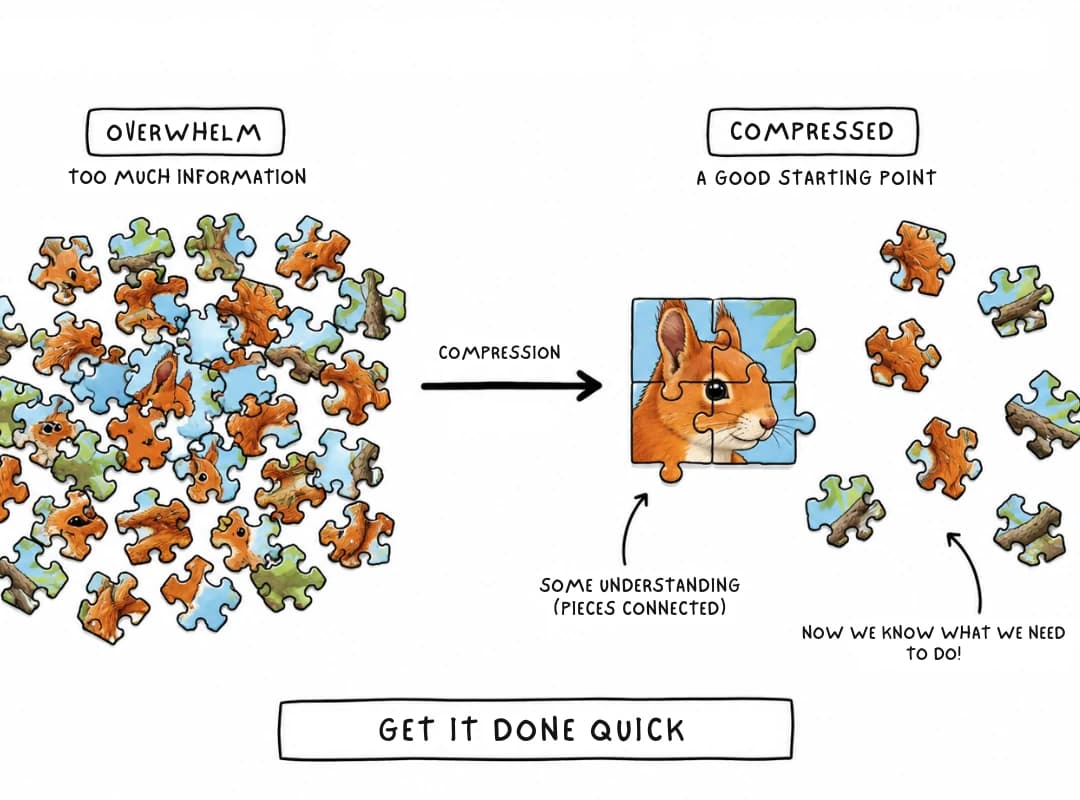
Step 3: Build a Mind Map That Compresses 30 Minutes Into 30 Seconds
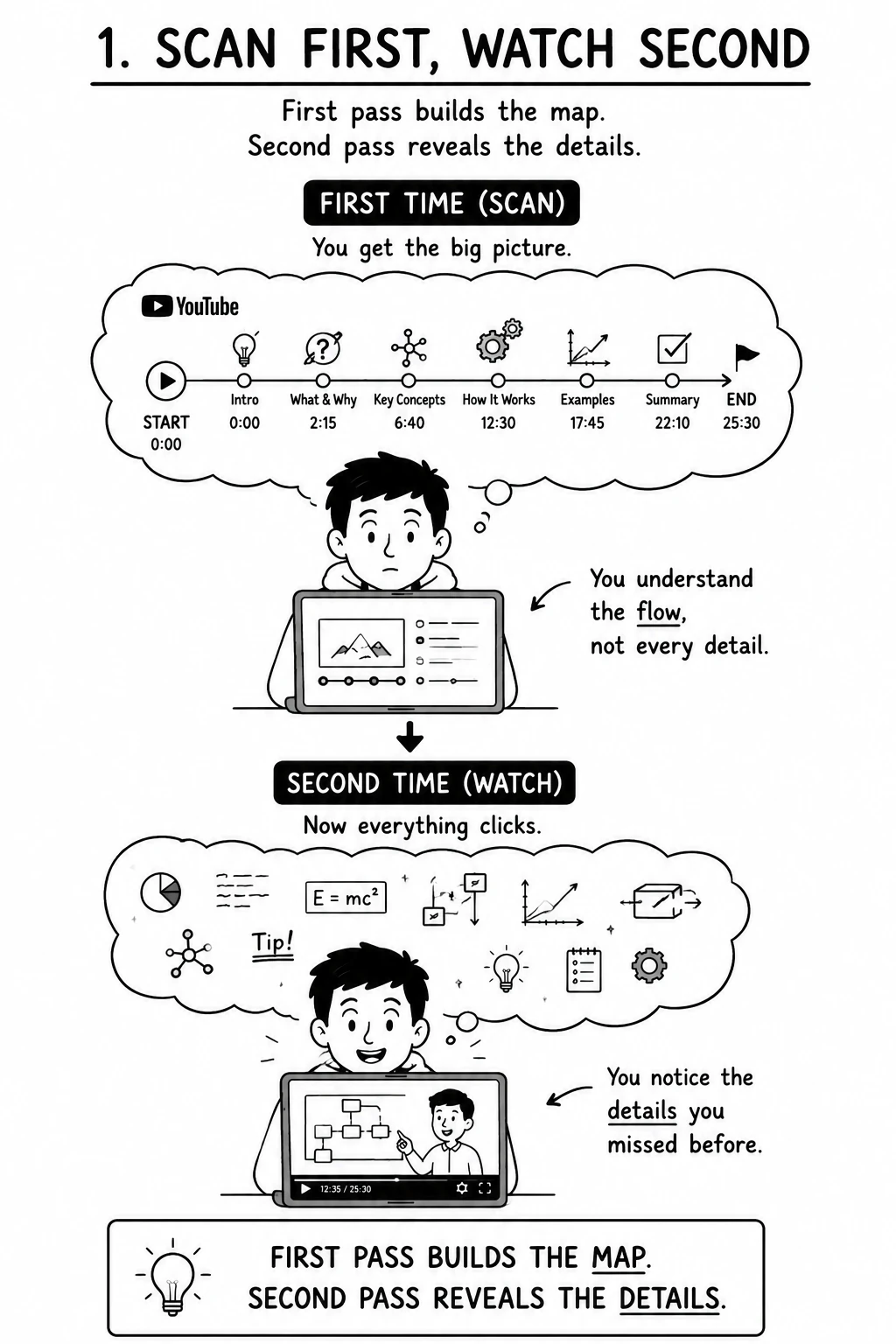
Take the extracted insights and organise them by patterns and relationships. Related claims, examples, people, evidence, and concepts form clusters; connections between clusters reveal ideas that recur across different parts of the material. This is what y2map's pattern-recognition engine does automatically. The result is not simply a shorter version of the source. It reveals the historical literature backing the source. A network of concepts, examples, evidence, patterns, and connections that can be explored from multiple starting points. To see how Y2Map compares to other mind mapping tools, read Y2Map vs MindMeister & Competitors.
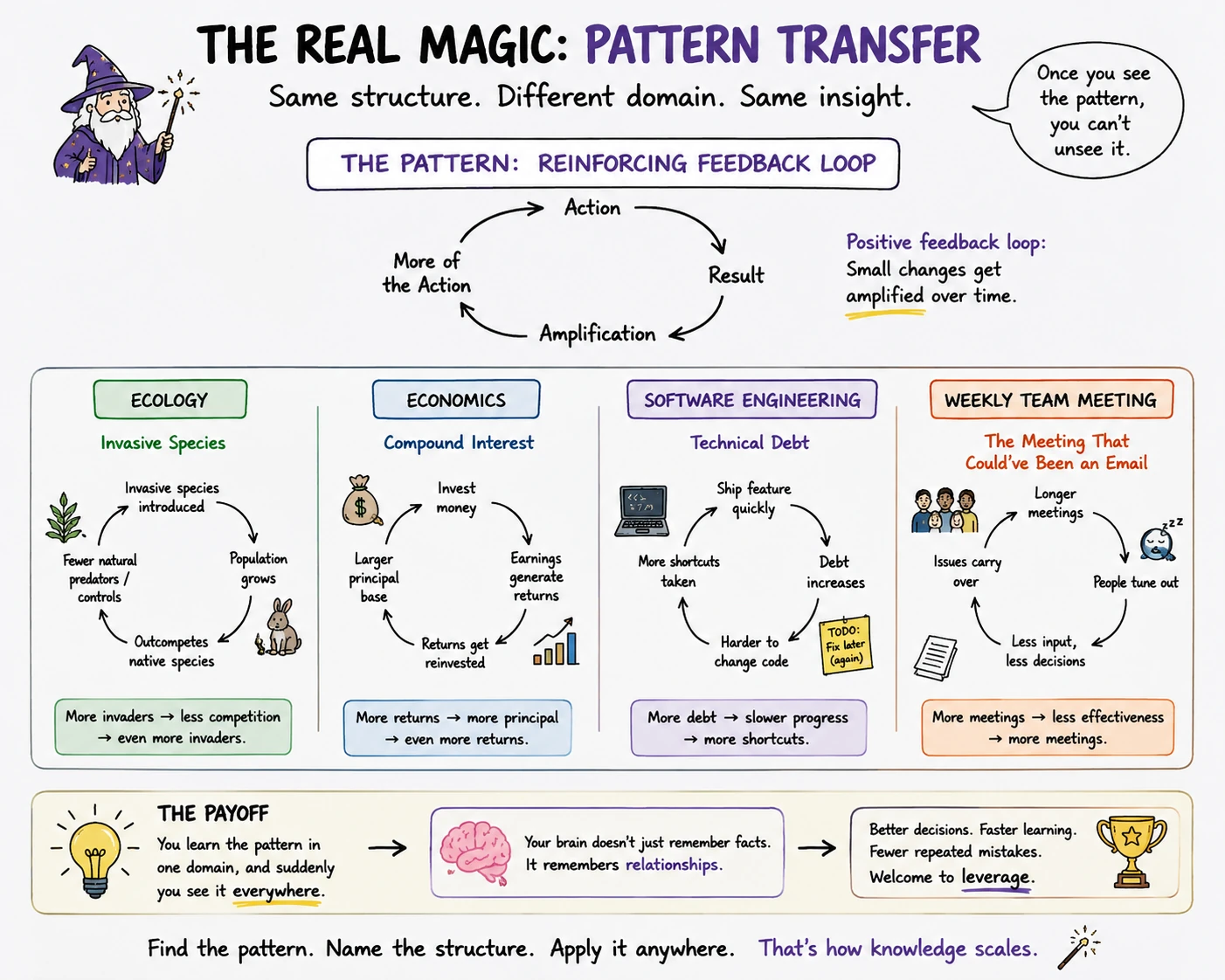
Pair that with minute-by-minute summaries and timestamps, and your first watch becomes dramatically more productive. Rather than spending an hour figuring out where the interesting parts are, you already know where to dig. The real magic is pattern transfer. Once you've spotted a feedback loop in ecology, you're more likely to recognize the same structure in economics, software engineering, or your team's weekly meeting that somehow keeps recreating the same disaster. Your brain remembers patterns far better than isolated facts because patterns refuse to stay in one subject.
Instead of rewatching a two-hour video because you vaguely remember "there was a brilliant point somewhere after the sponsor...", you leave with a visual map you can scan in seconds. By engaging with the content and annotating it into something you own, you're far more likely to remember the idea than the timestamp where it was hiding. Furthermore, the multi-channel approach[2] - text, video, image help the brain remember more, especially if you annotate the mindmap with images and iterate on the text using the Feynman method.
References
| Principle | What it explains | Mind map benefit |
|---|---|---|
| Cognitive Load Theory (John Sweller) | Working memory has a limited capacity. Learning improves when instructional materials minimize unnecessary mental effort (extraneous load) and devote cognitive resources to understanding the material itself (germane load). | Mind maps reduce cognitive overload by organizing information into a clear visual hierarchy, chunking related ideas together, and making relationships immediately apparent. |
| Multiple-Channel Encoding (also known as the dual-channel assumption in multimedia learning) | The brain processes visual/pictorial information and verbal/auditory information through separate but complementary channels. Encoding information across multiple channels creates more retrieval pathways and improves learning and recall. | Mind maps combine images, spatial layout, keywords, colors, and connections, allowing information to be encoded through multiple channels rather than text alone, leading to stronger memory. |
[1] Sweller, J. (1988). "Cognitive Load During Problem Solving: Effects on Learning." Cognitive Science, 12(2), 257–285.
[2] Mayer, R. E. (2009). Multimedia Learning (2nd ed.). Cambridge University Press.
Frequently Asked Questions About YouTube Transcripts, AI Notes and Mind Maps
How do I get a transcript of a YouTube video?
Open the YouTube video, expand the video description, and select Show transcript. The transcript appears alongside the video on desktop. On mobile, open the video details and look for the transcript section.
The option only appears when a transcript is available for that video. YouTube may provide an automatically generated transcript or one supplied by the creator.
Are YouTube transcripts free?
Yes. YouTube's built-in transcript feature is free when a transcript is available for the video. You do not need YouTube Premium to view it.
You can copy the transcript into a document, AI tool, or a tool such as y2map to turn the transcript into structured notes and a mind map.
Does YouTube automatically create transcripts?
YouTube automatically generates captions for many videos using speech recognition. When those captions are available, YouTube can display the spoken content as a transcript.
Automatic transcription is not available for every video, and machine-generated transcripts can contain errors, particularly with accents, technical terminology, poor audio, or multiple speakers.
Why can't I see the transcript on a YouTube video?
If Show transcript does not appear, the video may not have captions or a transcript available. Availability can also depend on the video's language, audio quality, processing status, and creator settings.
YouTube has also changed where the transcript control appears. If you remember finding it through the old three-dot menu, expand the video's description and look for Show transcript there instead.
What happened to the transcript button on YouTube?
YouTube changed the location of its transcript controls. On the current interface, you generally need to expand the video's description and select Show transcript rather than use the older three-dot-menu workflow.
The exact interface can differ between the YouTube desktop site and mobile app, so older tutorials may show buttons that no longer appear in the same location.
How do I download or copy a YouTube transcript?
Open Show transcript, select the transcript text, and copy it into your preferred notes or text application. If timestamps are displayed, you can remove them before processing the text.
YouTube does not always provide a dedicated transcript-file download button for ordinary viewers. If you own the video, YouTube Studio provides additional caption and subtitle management options.
Can ChatGPT transcribe a YouTube video?
ChatGPT can work with transcript text you provide, but giving an AI a YouTube URL is not the same thing as transcribing the video's audio.
A reliable workflow is to obtain the video's existing transcript first and then use an AI model to clean it, summarize it, extract key ideas, create study notes, or reorganize it into a mind map.
For example, y2map uses the transcript as source material and reorganizes it into a structured knowledge map rather than leaving you with thousands of words of sequential text.
How can I instantly turn a YouTube video into a transcript and study notes?
If YouTube already generated captions for the video, you do not need to transcribe the audio from scratch. Open Show transcript to access the text.
The next step is compression. You can paste the transcript into an AI tool and ask it to extract concepts, evidence, examples, and conclusions. Alternatively, y2map automates the workflow by converting YouTube content into a structured mind map and summary.
This changes the workflow from:
Video → transcript → wall of text
to:
Video → transcript → key concepts → relationships → mind map → reusable notes